Mesh Gradient Generator

What is a mesh gradient?

A mesh gradient is a background where several colours blend across the surface from different points, instead of along one line. The Wensity Mesh Gradient Generator builds one in your browser: drag colour points around the canvas, or start from one of 32 presets, and copy the result as code or download it as an image.

Each point has its own colour, size and softness, so you decide where the light sits and how far each colour spreads before it meets the next.

Dragging, adding and recolouring points in Points mode.

How to make a mesh gradient

No account, and nothing to install.

1. Pick a start

Choose a preset, or shuffle for a new palette and layout.

2. Move the points

Drag points where you want colour, and add or remove them between 2 and 10.

3. Copy or export

Copy CSS, Tailwind or SVG, or download a PNG, JPG or WebP.

Points, Flowing and Waves mesh gradients

Three ways to make a mesh gradient in one tool, each with its own presets and the same colour controls.

Points · 14

A mesh you place by hand. It is plain CSS, so the code matches the canvas exactly.

Flowing · 10

A shader mesh that moves, with swirl, drift and softness controls.

Waves · 8

A still mesh cut into soft folds, like fabric or dunes.

Points suits a website hero, where the background has to stay light and ship as CSS. Flowing and Waves run on the Background Studio engine and suit covers, wallpapers and video, where a richer image matters more than code. Every mode can take a layer of grain to soften the banding a smooth blend can show.

Mesh gradient examples

Three Flowing presets, exported from the generator at 4K. Each one opens above, ready to recolour.

A flowing mesh gradient in orange and deep red, folding like silk
Ember SilkOpen in the tool
A flowing mesh gradient in greys and white with bright metallic ribbons
Liquid ChromeOpen in the tool
A flowing mesh gradient swirling from navy to aqua
Deep CurrentOpen in the tool

Animated mesh gradient in pure CSS

A moving background without a video file or a script.

Switch on Animate in Points mode and every point drifts on its own loop. The copied CSS registers each point's position as a custom property and moves it with keyframes, so the browser animates the mesh itself, with no JavaScript. Visitors who prefer reduced motion get the still mesh.

When you need the motion as a file, for a launch video or a slide, export it as an MP4 that loops seamlessly. Video export renders on your device and needs a Chromium browser or Safari.

Export a mesh gradient as CSS, SVG, PNG or video

Points is free in full, and images at the canvas size are free in every mode.

Code

Points copies as CSS, Tailwind classes, SVG for Figma, or a React component.

Images

PNG, JPG or WebP in every mode, and SVG for point meshes.

Video

MP4 of an animated mesh, rendered frame by frame in the browser.

Points is free in full. For Flowing and Waves, 2x images, video and React code come with Wensity Pro, $169 a year or $199 once, the same license that unlocks Pro components and blocks. MP4 video of a Points mesh is Pro too.

Layer glass or halftone over a mesh in Background Studio

Open any mesh in Background Studio to put grain, glass or a halftone screen over it, or to pick from shader backgrounds that move on their own.

Background Studio is Wensity's full background editor, and Open in full studio carries your design into it: 224 gradient, shader and texture backgrounds in 19 sections, layers, and export to PNG, MP4 video or a React component.
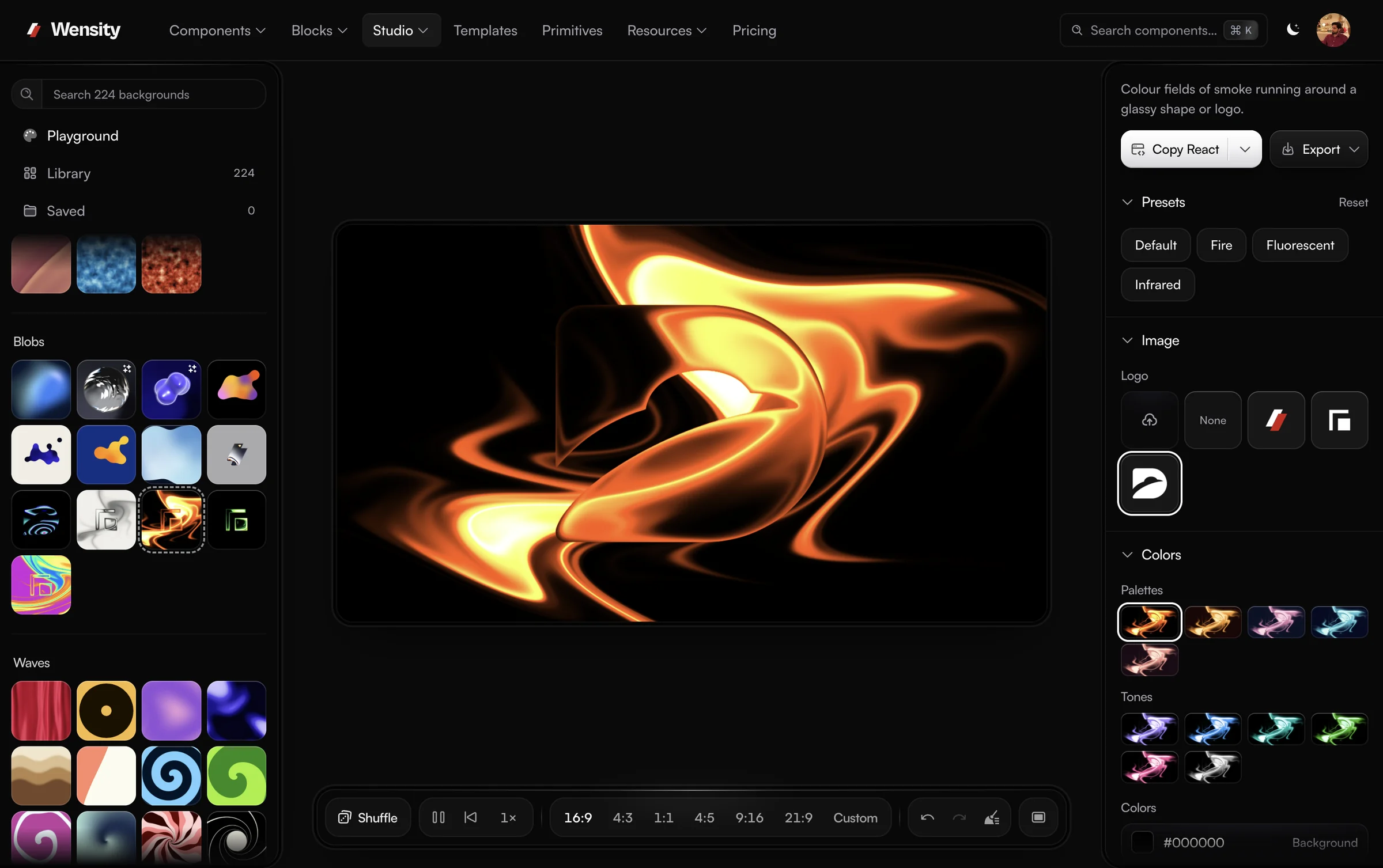
Background Studio with Gem Smoke Fire on the canvas, the Library of looks on the left and presets, logo and colour palettes on the right
Background Studio with Gem Smoke Fire on the canvas.

Mesh gradient questions, answered

What people ask about mesh gradients and this generator: what they are, how to animate one in CSS, and what is free.
Yes. Build it in Points mode and copy the CSS onto your hero or section element: the mesh is a stack of radial gradients in one background declaration, so there is no image file to load and it stays sharp at any screen size. Switch on Animate first if you want it to drift.

Yes. Every preset and control is free, with no account. In Points mode every export is free too: CSS, Tailwind, SVG, a React component and PNG, JPG or WebP images. Flowing and Waves run on the Background Studio engine, where images at the canvas size are free and 2x images, MP4 video and React code come with Wensity Pro, $169 a year or $199 once.

Yes, in Points mode. Each of the 2 to 10 points is an elliptical radial-gradient layered in one background, so the CSS you copy draws exactly what the canvas shows. The same mesh copies as Tailwind classes or as an SVG you can paste into Figma.

Switch on Animate in Points mode and the points drift on a loop. The copied CSS moves them with registered custom properties and keyframes, with no JavaScript, and stops for visitors who prefer reduced motion. Flowing presets animate on the Background Studio engine, and either kind exports as MP4 video with Wensity Pro.

Points is a mesh you build by hand from colour points and copy as CSS. Flowing is a moving shader mesh with swirl, drift and softness controls. Waves is a still mesh cut into folds, like fabric or dunes. All three share the colour controls, presets and exports in one tool.

Mostly. Gradient mesh is the name of the Illustrator tool that bends a grid of colour points into a shape. On the web, mesh gradient usually means a soft multi-colour background, which is what this generator makes.

Yes. In Points mode, Copy SVG puts the mesh on your clipboard as vector shapes you can paste straight into Figma, and Export offers the same SVG as a file. Flowing and Waves meshes come out as PNG, JPG or WebP images, which Figma takes as an image fill.

In Points mode a mesh has between 2 and 10 points, each with its own colour, size and softness, so you can add a point wherever the mesh needs another colour. Recolour all of them at once with the colour variants, or edit one point at a time.

Parth

Founder, Wensity

Still have a question?

Ask about plans, licensing, or templates and you will hear back from me directly.

Email hey@wensity.com

More free design tools

Need a straight blend instead of a field? The CSS Gradient Generator writes linear, radial and conic gradients. See all free tools.

  • A blue linear gradient made in the CSS Gradient Generator

    CSS Gradient Generator

    Layer linear, radial and conic gradients, then copy the CSS.

  • A creased paper texture made in the Noise Texture Generator

    Noise Texture Generator

    Grain, fractal and cell noise as textures or a CSS grain overlay.

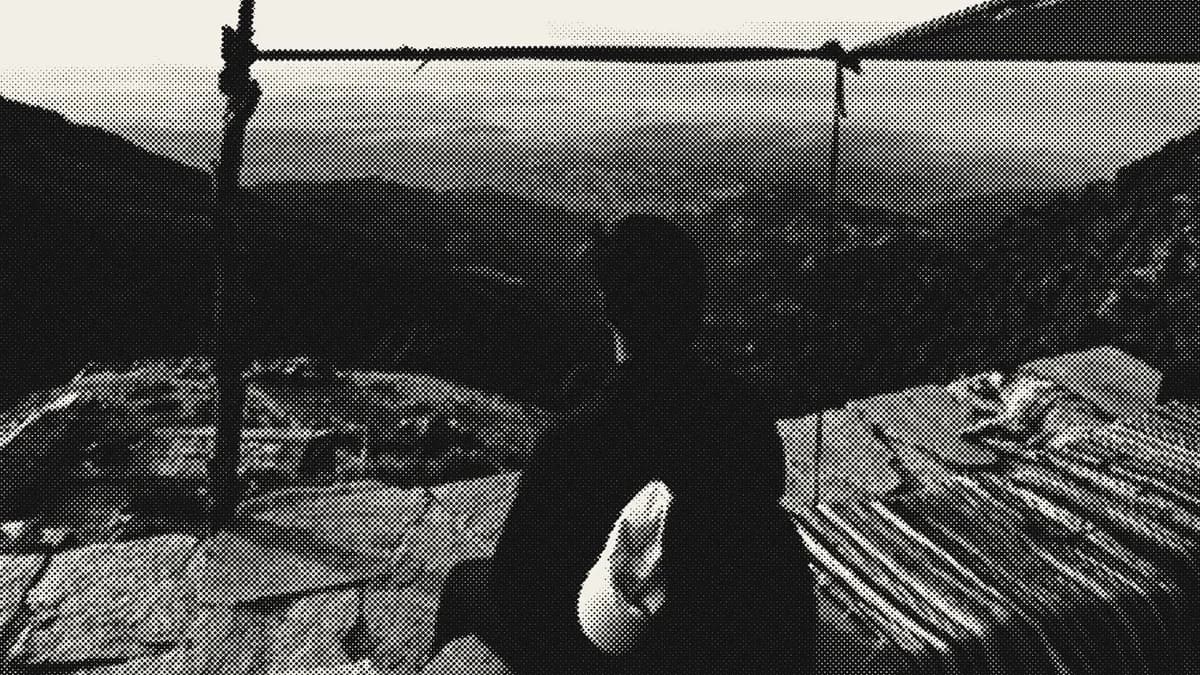
  • A photo of a hiker turned to black and white halftone in the Halftone Generator

    Halftone Generator

    Turn any image into halftone dots, screens or CMYK print.