Comparison Sections
Product comparison sections with feature matrices, product wordmarks, highlighted winning values, and circular missing feature marks.
Every comparison section here is included with Wensity Pro.
How to choose a comparison section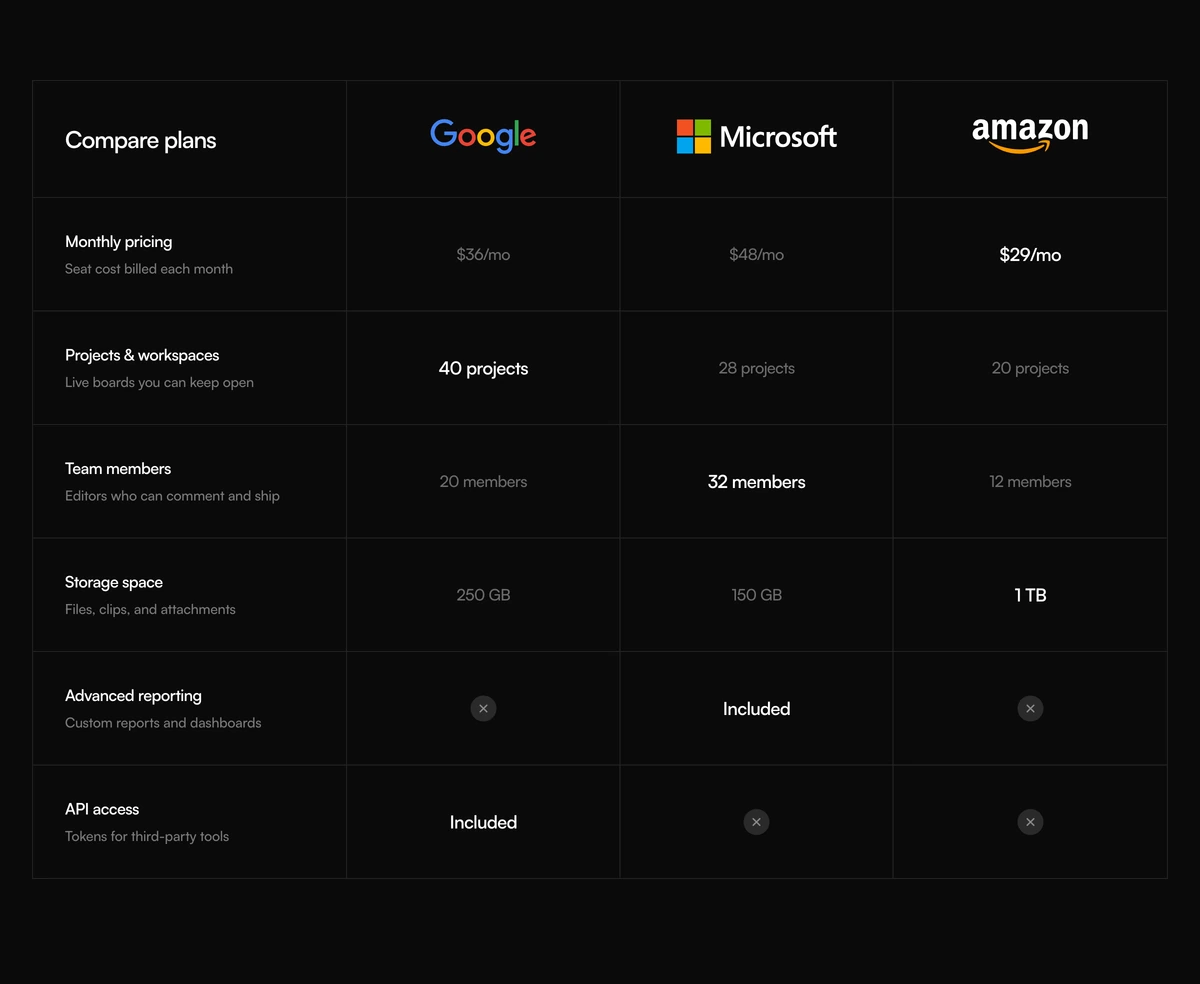
Which comparison section should I use?
Put products on the same rows
- Comparison Section With Features Matrix
- Three named products share a hairline grid. Google, Microsoft, and Amazon sit as wordmarks. Use it for competitors, not your own plans.
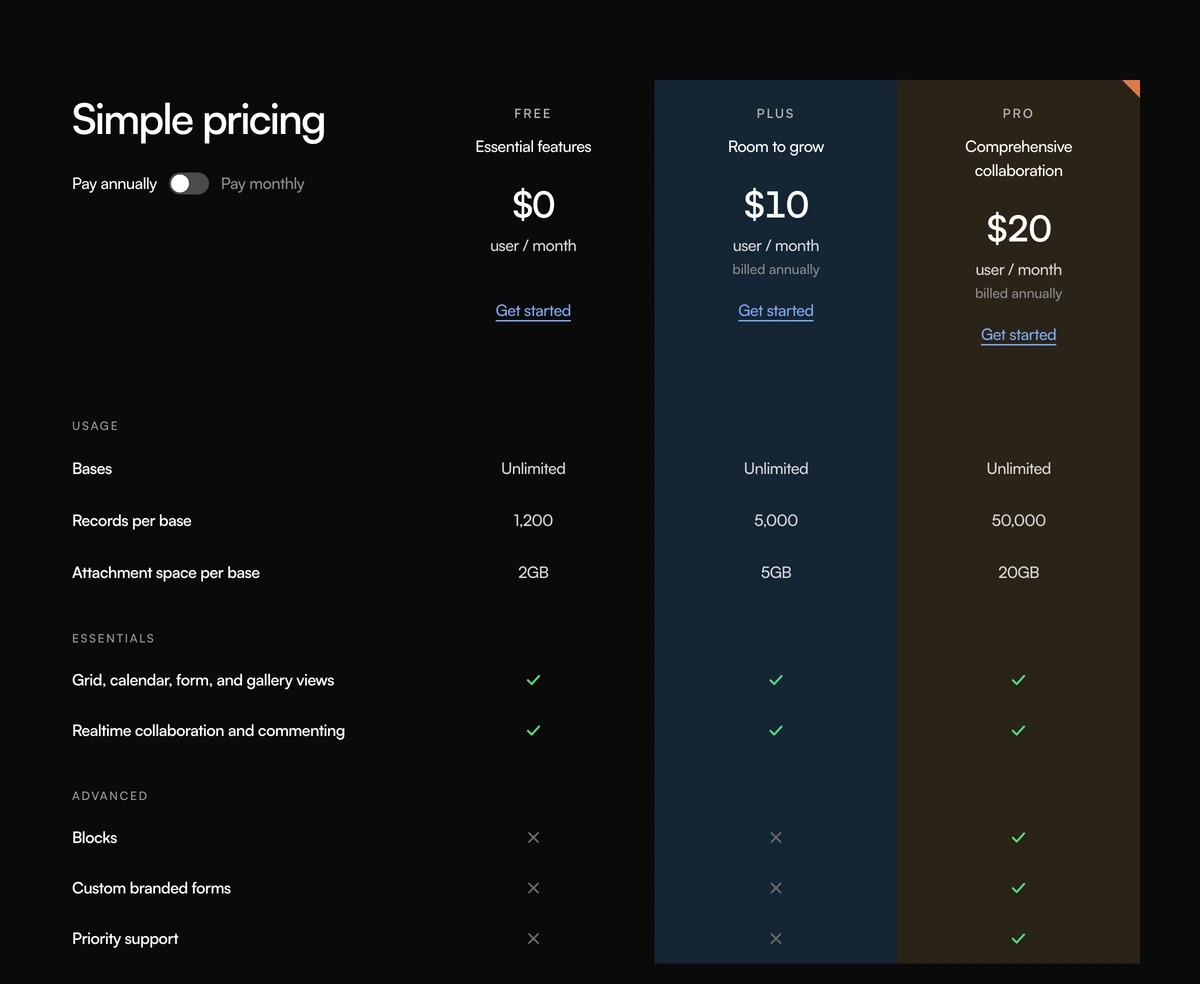
- Comparison Section With Simple Pricing
- Three of your own seats share a long grouped sheet. Plus and Pro keep full height washes. An annual switch sits under Simple pricing. Use it for plans with categories, not a compact button row.
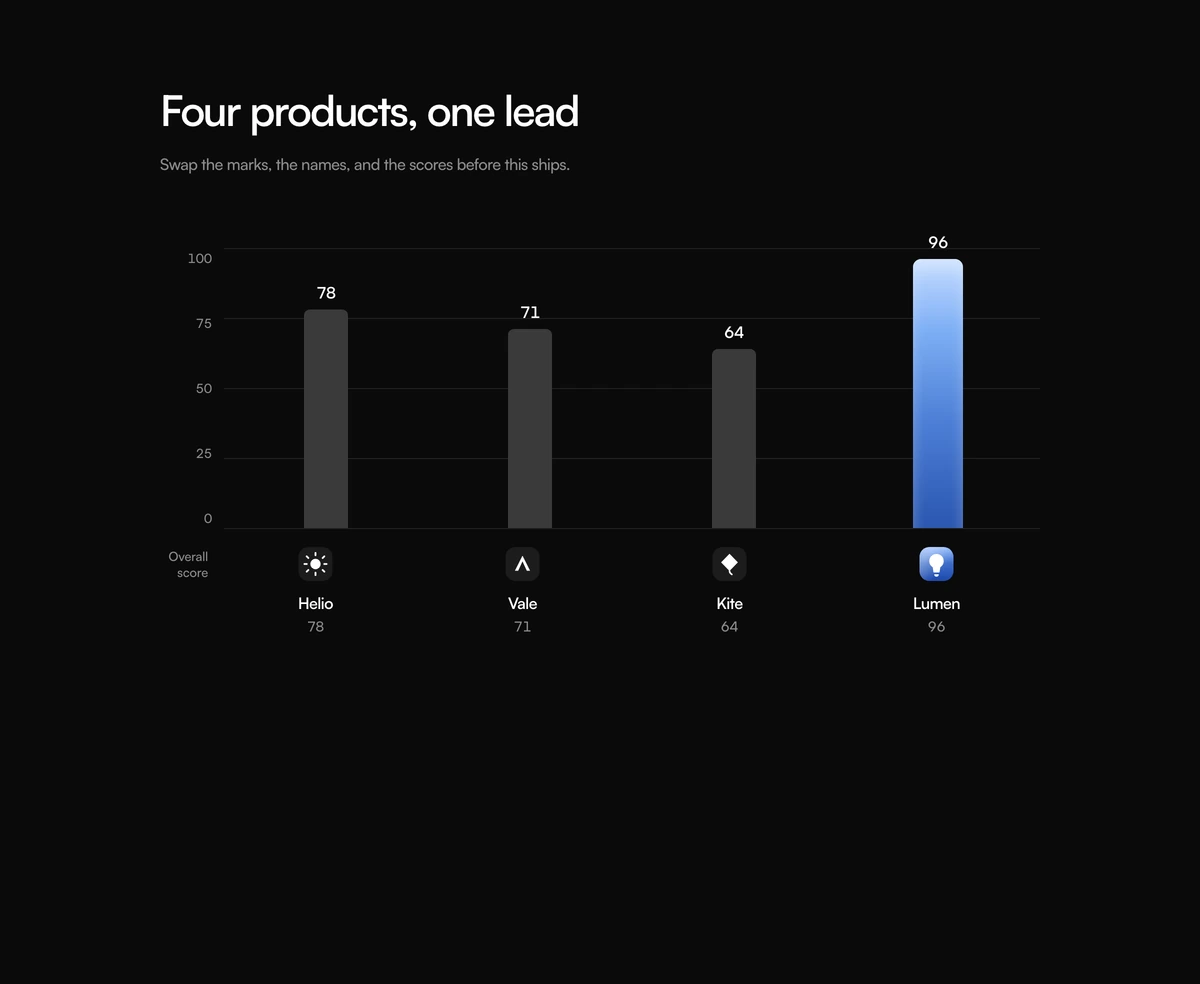
- Comparison Section With Leader Graph
- Four named products share one bar chart. Logos, names, and scores sit under the bars. Lumen sits on the right as the mock lead. Use it for a single score drawn as four bars, not a check sheet.
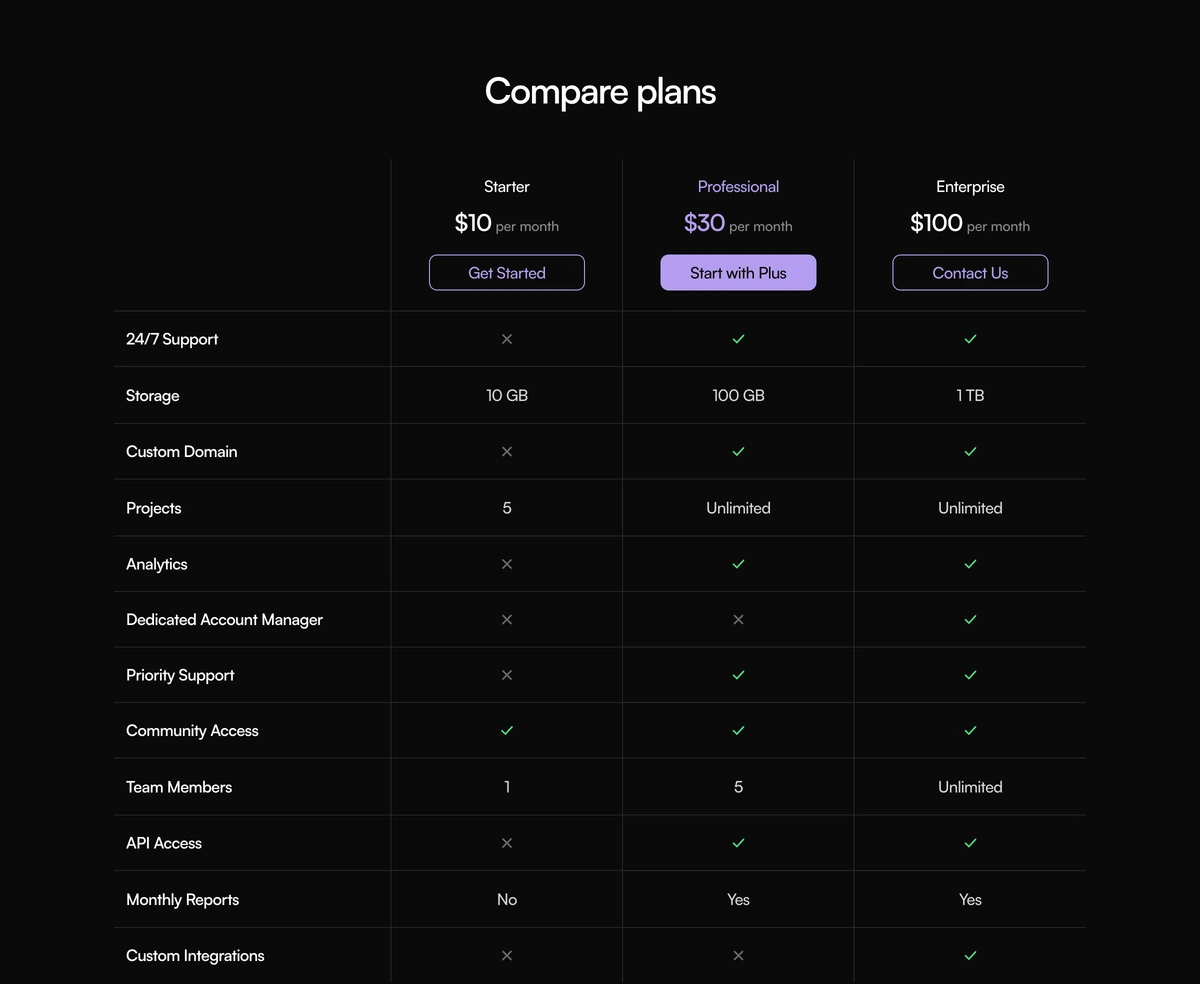
- Comparison Section With Compare Plans
- Three of your own seats share a compact sheet. Professional is marked in purple type and a solid button. Checks, crosses, and limits fill the rows. Use it for plans, not competitors.
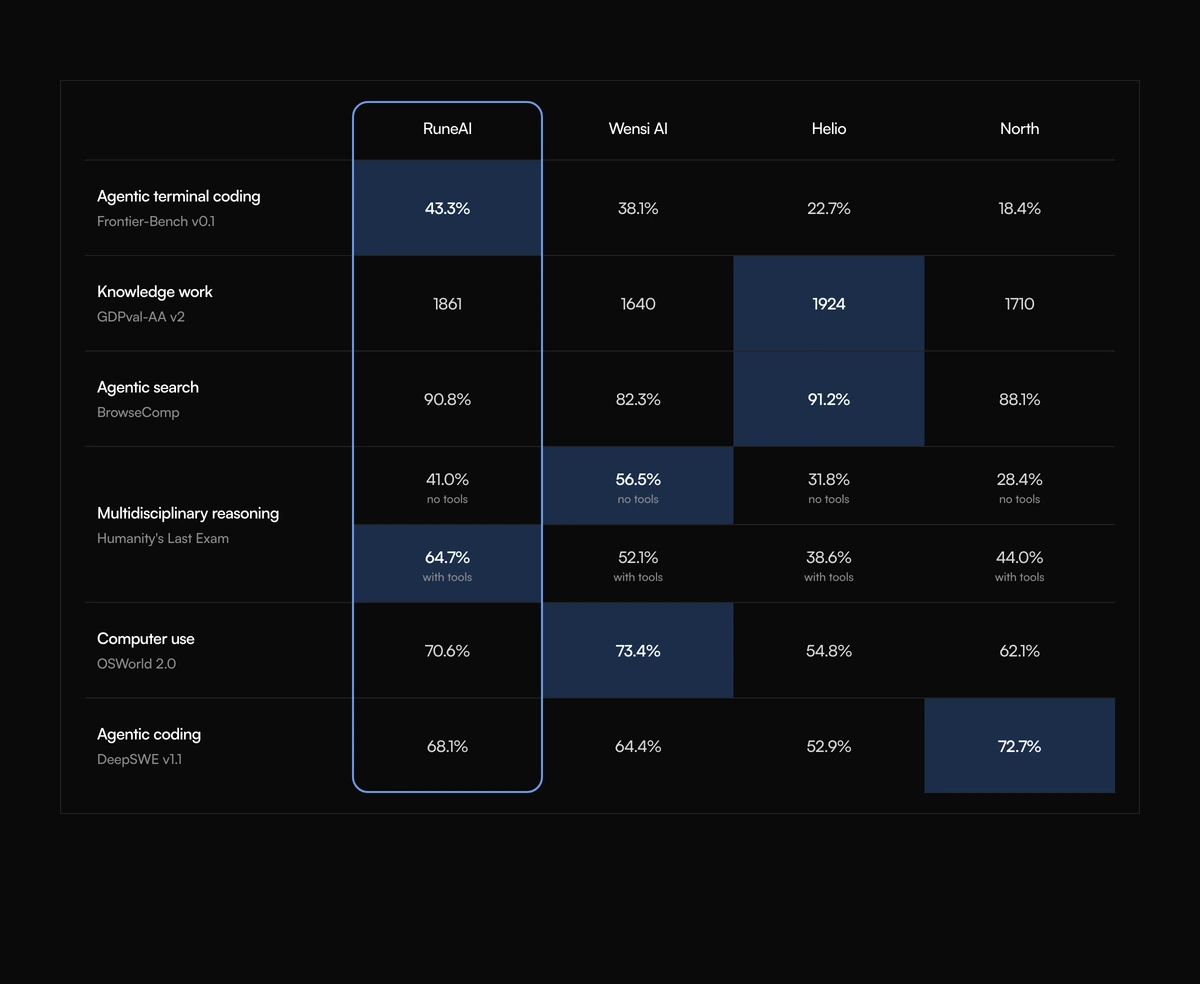
- Comparison Section With Benchmark Matrix
- Four models share a score sheet. A blue column frames the lead model. Winning cells get a fill. Use it for evals, not seats.