Mechanical Keyboard
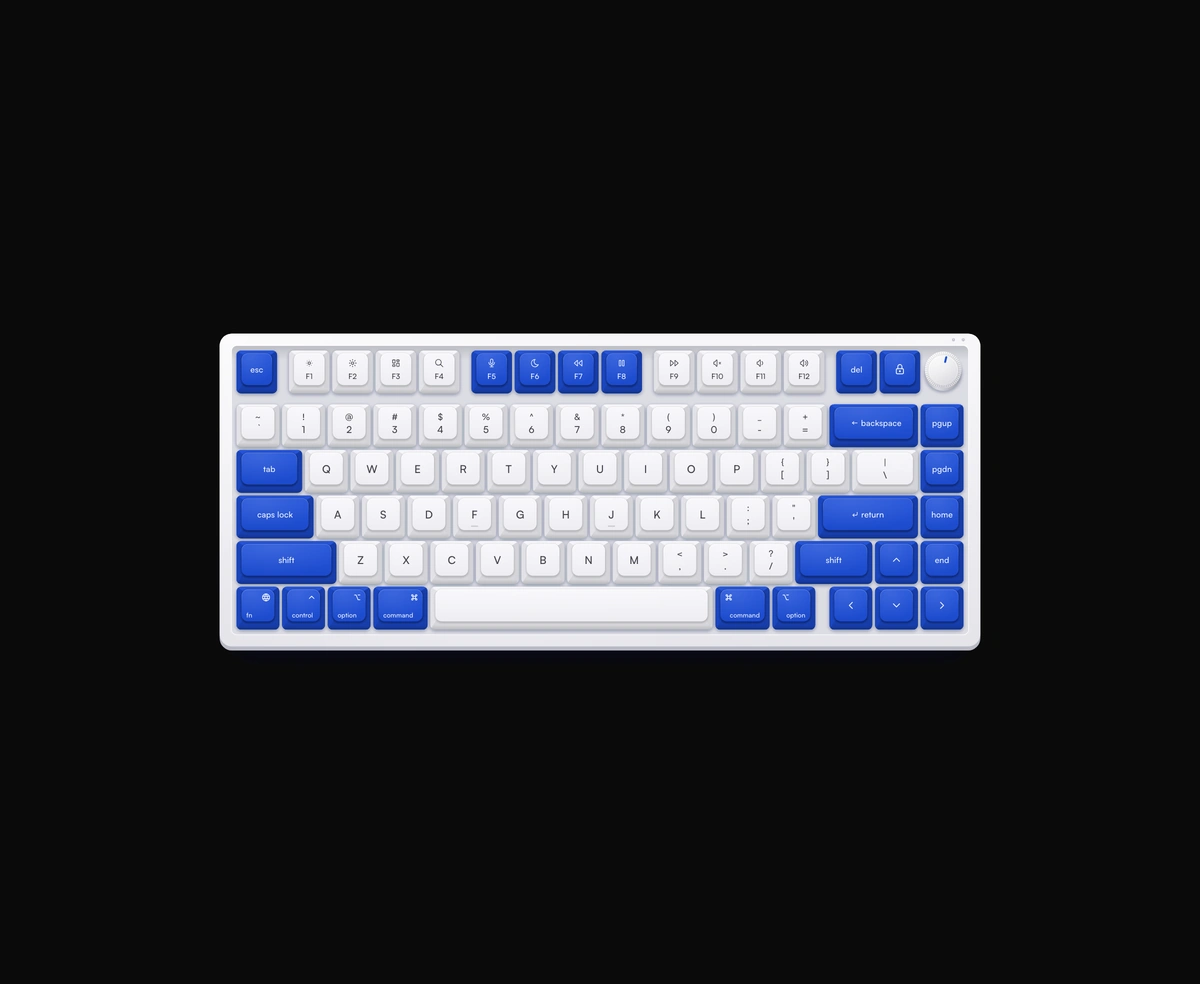
ProA 75 percent mechanical keyboard with sculpted keycaps and recorded switch sound.
Overview
Mechanical Keyboard is a React and Tailwind CSS virtual keyboard in a 75 percent Mac layout, in Next.js or any React app, drawn as one SVG that stays sharp at any size. Each keycap sinks when you click it or press the same key on your own keyboard. Sound comes from recorded Cherry MX Red, Brown and Blue switches, with press and release split. A rotary knob sets the volume by drag, scroll or arrow keys and reports it through onVolumeChange. It listens to the whole document, so set physicalKeysEnabled to false while a text field has focus.
Installation
Run the following command
pnpm dlx wensity@latest add mechanical-keyboard
Usage
Import MechanicalKeyboard from @/components/wensity/mechanical-keyboard and render it anywhere in your React or Next.js app. The source lands in your own repo, so every prop, class and animation below is yours to edit.
import { MechanicalKeyboard } from "@/components/wensity/mechanical-keyboard";export default function Example() {return (<MechanicalKeyboard enableSound volume={0.55} />);}
Props
| Prop | Type | Default | Description |
|---|---|---|---|
theme | "purple" | "wensity" | "ocean" | "moss" | "graphite" | "ocean" | Colorway — drives the keycaps, case, plate and indicator LEDs. |
enableSound | boolean | true | Play recorded switch sounds on press and release. |
volume | number | 0.5 | Sound volume from 0 to 1. The knob starts here and follows changes. |
onVolumeChange | (volume: number) => void | - | Fires as the knob is turned, with the new volume from 0 to 1. |
switchType | "linear" | "tactile" | "clicky" | "linear" | Recorded switch: Cherry MX Red, Brown or Blue. |
soundUrl | string | assets.wensity.com …/switches.flac | URL of the switch sound sprite. Override to self-host. |
enableHaptics | boolean | true | Trigger a short vibrate on pointer press when supported. |
physicalKeysEnabled | boolean | true | Highlight keys from real keyboard events. |
forceActive | boolean | false | Keep listeners active even when the keyboard is off-screen. |
onKeyEvent | (event) => void | - | Fires on key down/up from physical or pointer input. |