Black Friday is here 🔥 Get Wensity Pro for 20% less with

Admin Dashboard Template

A React and Next.js dashboard template with analytics, CRM contacts, ecommerce orders, billing invoices, settings and sign-in on one shared shell. Swap the demo data for your API and ship.

Only with Pro. Not sold on its own.
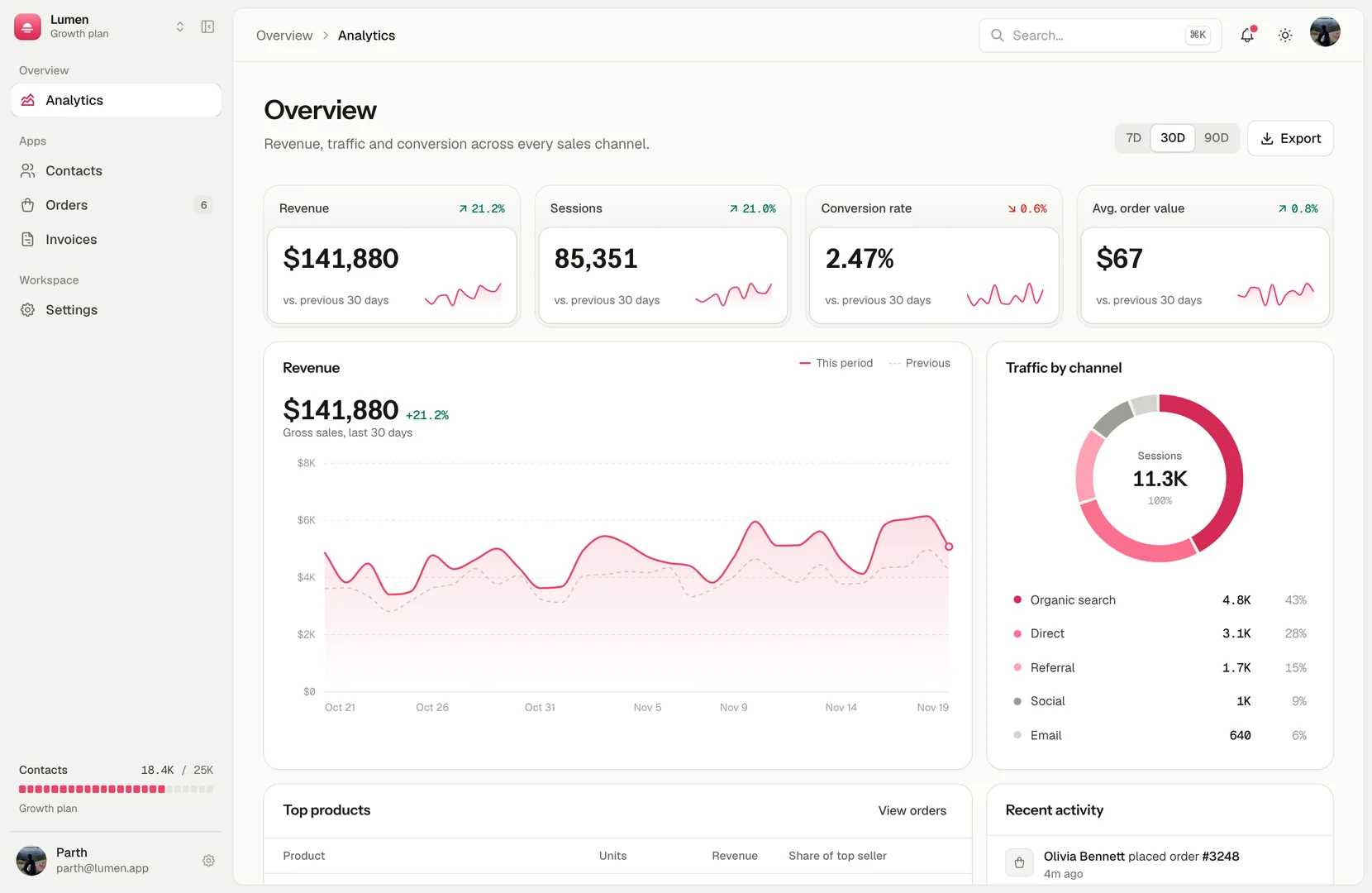
Admin dashboard template overview with KPIs, revenue chart and traffic by channel
Four KPI cards with sparklines, a revenue chart against the previous period, traffic split by channel, top products and a live activity feed. A 7, 30 and 90 day range switch sits in the header.

What is in the admin dashboard template?

Six pages ready to rename: an analytics overview, CRM contacts, ecommerce orders, billing invoices, settings and sign-in. Every page sits in one shell: a collapsible sidebar on ⌘B, a command menu on ⌘K, notifications, a workspace switcher, a mobile drawer, and light, dark or system color schemes.

It is a front-end template. There is no backend, auth or database to remove, so it drops into whatever API you already run. Built on Next.js 16, React 19, Tailwind CSS v4, motion and Tabler icons.

Tables that already do the boring parts
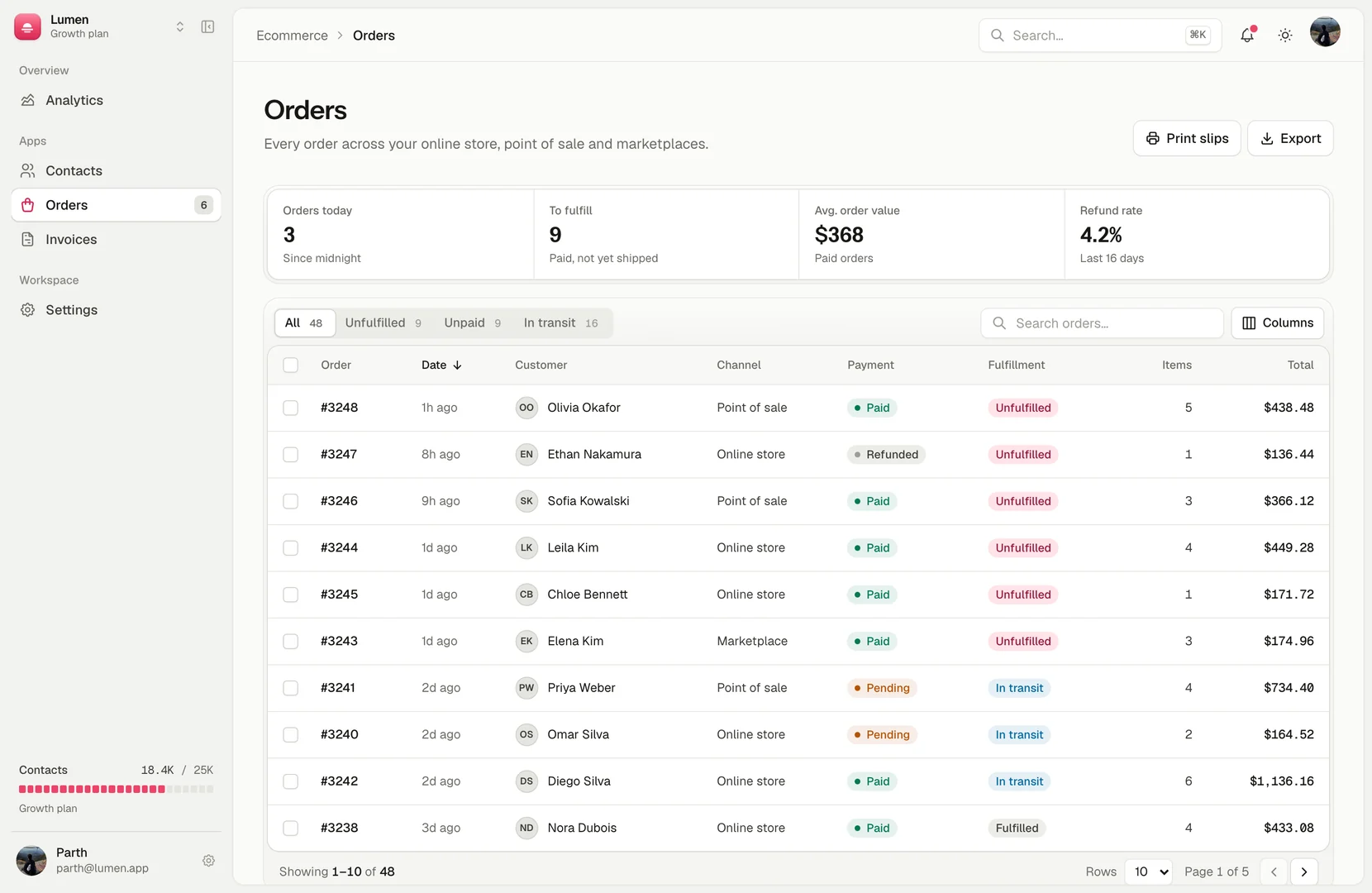
Admin dashboard template orders table with filters, status and totals
Contacts, orders and invoices share one data table with sorting, filter tabs, search, bulk actions, column visibility and paging. Orders open a detail sheet; contacts and invoices open their create dialogs.

Settings people expect to find

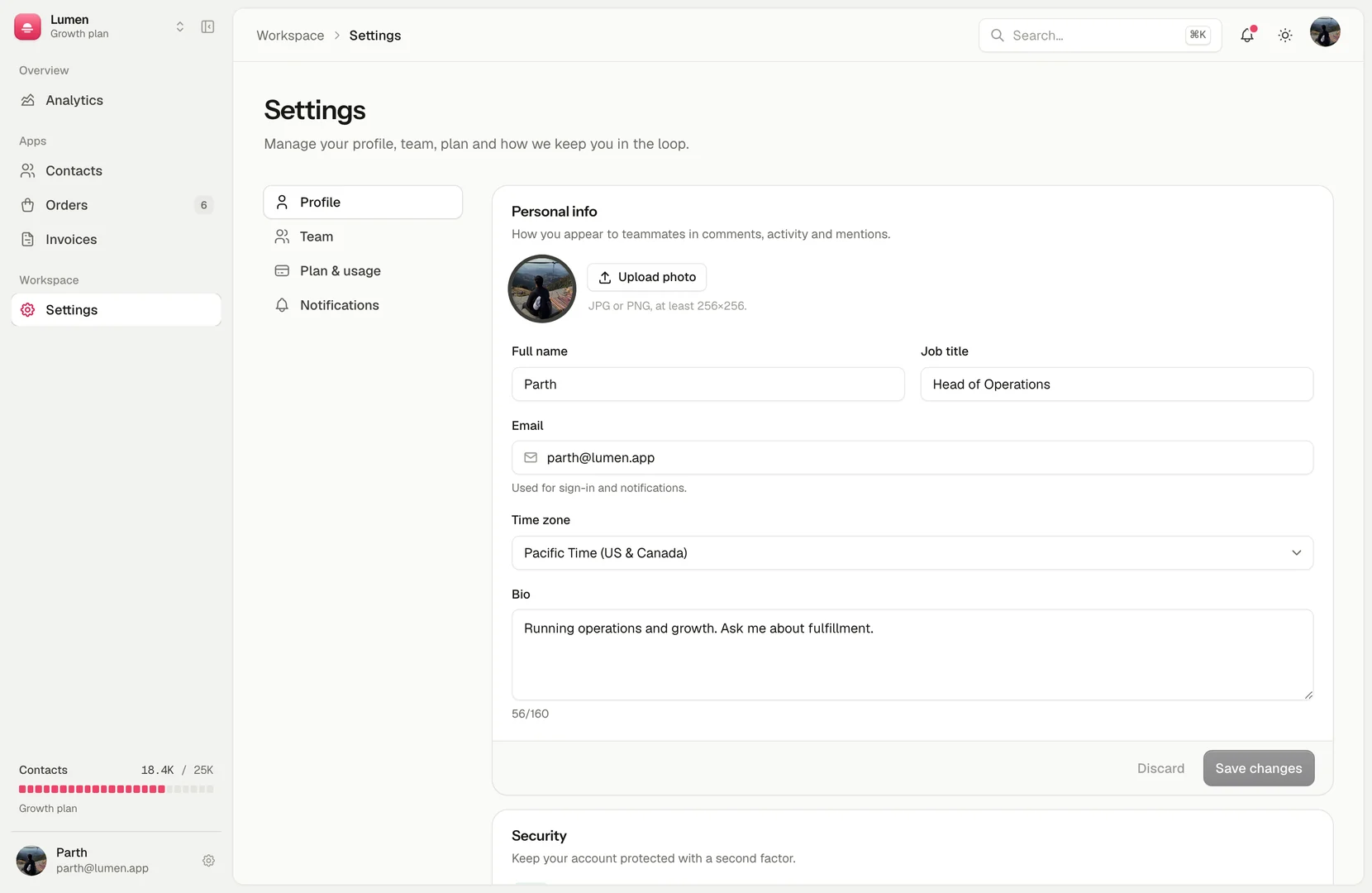
Admin dashboard template settings page with profile form
Profile, team and roles, plan and usage, and notifications, each a real form with its own save bar.

Made to become your product

Your data, your API

All numbers come from files in src/data. Point them at your API and the screens keep working.

Hand-written parts

Buttons, dialogs, menus, toasts, tabs, charts and tables live in the template. No component CLI to keep in sync.

Light, dark, 11 palettes

The brand accent, the ink controls and the warm neutrals are CSS variables with their own light and dark values.

Only with Pro

Included with Pro Annual and Pro Lifetime, with lifetime updates. Commercial license for personal and client projects.

Frequently asked questions

Licensing, stack, and what you get on download.

An analytics overview, a CRM contacts table, ecommerce orders with an order detail sheet, billing invoices with a collections chart, settings for profile, team, plan and notifications, and sign-in, sign-up and password reset screens.

No. All data is demo data in src/data. Replace those files with calls to your own API. There is no auth, database or backend to remove first.

No. Every component is hand-written in the template (buttons, inputs, dialogs, menus, toasts, tabs, charts, data tables), so there is no component CLI to keep in sync. It uses Tailwind CSS v4, motion and Tabler icons.

Yes. Light, dark and system color schemes are built in, plus 11 accent palettes defined as CSS variables in globals.css.

It is only available with Pro. Pro Annual and Pro Lifetime include it along with every other template, component and block. It is not sold on its own.

Commercial. Unlimited personal and client projects. The one fair restriction: don't resell the template itself or distribute it as a kit.

Yes. Below desktop width the sidebar becomes a drawer, and the tables, dialogs and settings forms reflow for tablet and phone screens.

⌘B (Ctrl+B on Windows) collapses the sidebar and ⌘K (Ctrl+K) opens the command menu to jump between pages.

Parth

Founder, Wensity

Still have a question?

Ask about plans, licensing, or templates and you will hear back from me directly.

Email hey@wensity.com

Start from a finished admin panel

Not an empty sidebar and one chart. Open the live preview, then take it home with Pro.

Only with Pro. Not sold on its own.