Magnifying Glass Lens
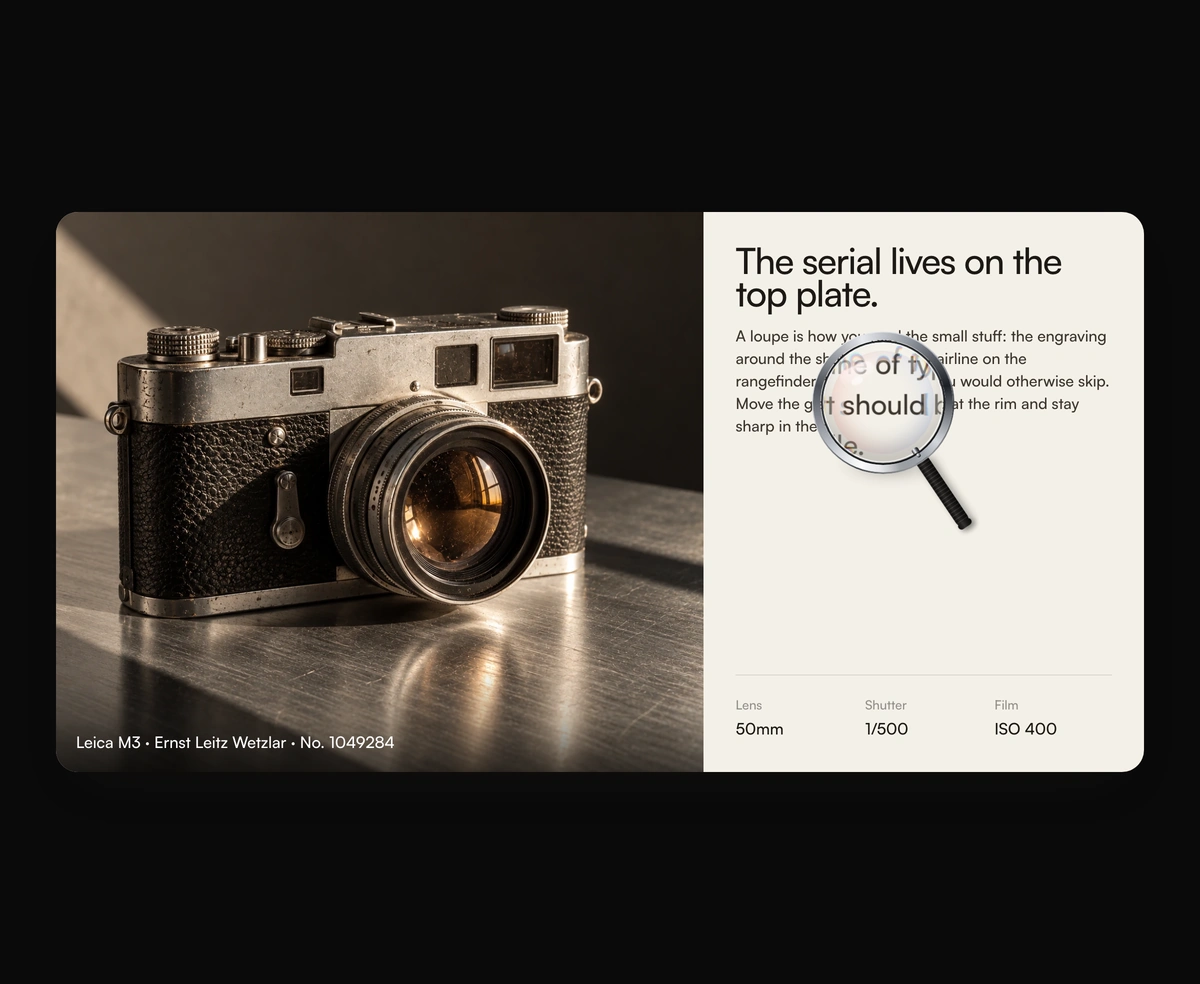
ProA glass lens that magnifies any child, bending at the rim as it follows.
Overview
Magnifying Glass Lens is a React and Tailwind CSS image zoom lens that magnifies any children, in Next.js or any React app, with no dependencies. The lens scales a live copy of the tree, so text, images, and SVG stay sharp, and a displacement map bends the rim like thick glass with a small red and blue split. It follows the pointer on a spring, or in drag mode moves only when grabbed or nudged with arrow keys. Reduced motion drops the spring. Children render three times, so keep them presentational, and pass an image instead of a canvas.
Installation
Run the following command
pnpm dlx wensity@latest add magnifying-glass-lens
Usage
Import MagnifyingGlassLens from @/components/wensity/magnifying-glass-lens and render it anywhere in your React or Next.js app. The source lands in your own repo, so every prop, class and animation below is yours to edit.
import { MagnifyingGlassLens } from "@/components/wensity/magnifying-glass-lens";export default function Example() {return (<MagnifyingGlassLens zoom={2.2} size={200}><img src="/photo.jpg" alt="A camera on a desk" /></MagnifyingGlassLens>);}
Props
| Prop | Type | Default | Description |
|---|---|---|---|
children | React.ReactNode | - | Whatever sits under the glass. It is rendered again inside the lens, so keep it presentational: no effects, no ids, no state. |
zoom | number | 2.25 | Magnification. 1 is life size. |
size | number | 196 | Lens diameter in pixels. |
refraction | number | 0.58 | How hard the rim bends, from 0 to 1. 0 leaves the magnification flat. |
aberration | number | 0.26 | Red and blue split at the rim, from 0 to 1. 0 turns the fringe off. |
mode | "follow" | "drag" | "follow" | follow tracks the pointer. drag moves only when the lens is grabbed, or nudged with the arrow keys. |
rest | { x: number; y: number } | { x: 0.64, y: 0.42 } | Where the lens sits before the first pointer move, as fractions of the frame. |
handle | boolean | false | Draws a metal rim and handle, so the disc reads as a magnifying glass. |
label | string | "Magnifying lens. Drag it, or press the arrow keys to move it." | Accessible name for the lens when it can be dragged. |