Gooey Search Bar
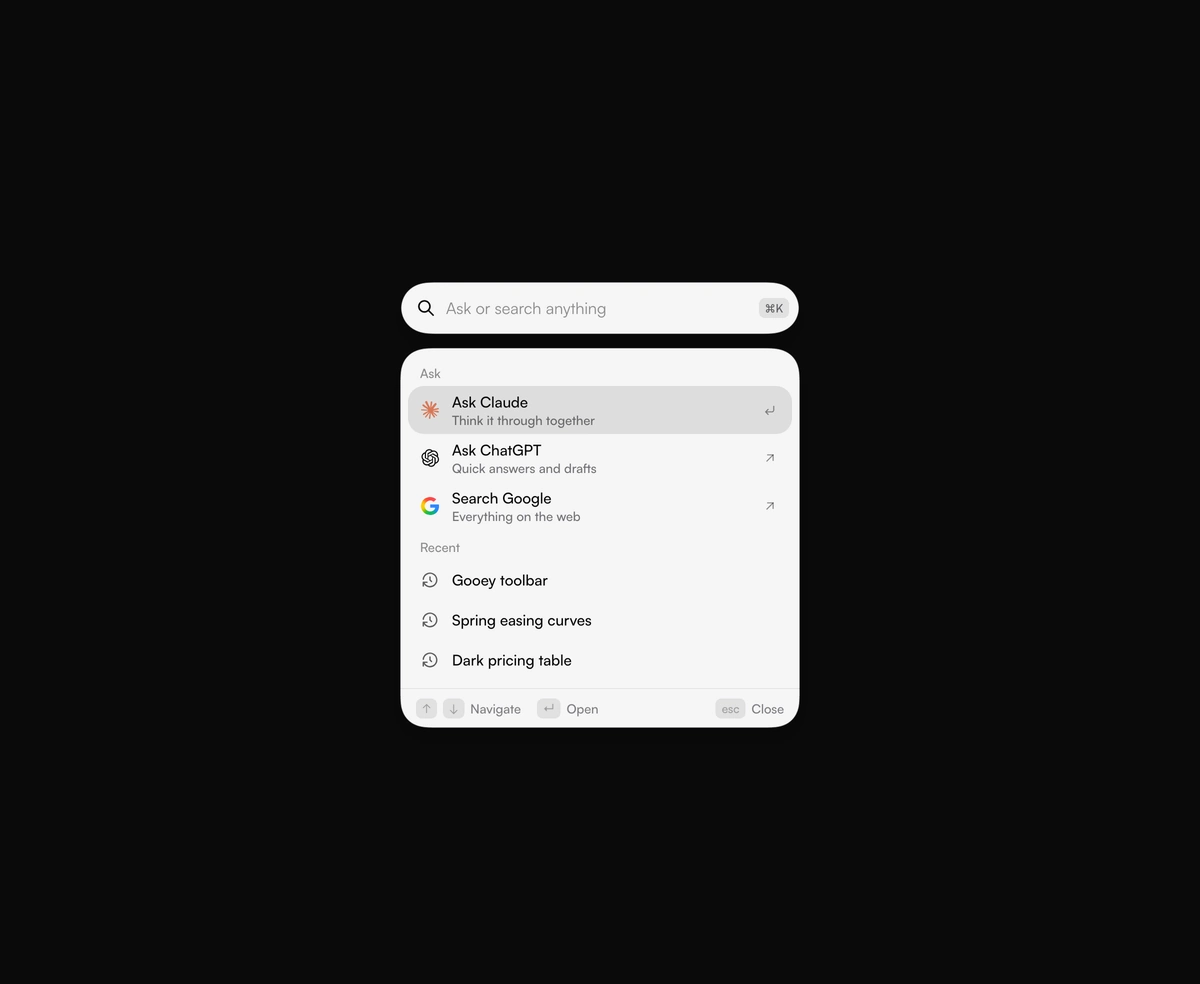
ProA search circle stretches into a field, and results drip out below it. Ask Claude, ChatGPT, or Google in one keystroke.
Overview
Gooey Search Bar is a React and Tailwind CSS animated search bar and command palette, in Next.js or any React app, where a round button stretches into a field and results pour out below through an SVG goo filter. Typing filters your pages under Jump to, recent searches show while the field is empty, and Ask rows send the query to Claude, ChatGPT, or Google in a new tab. Cmd K or Ctrl K opens it, and it follows the ARIA combobox pattern. Matching is a plain text search of title and detail, so put synonyms in detail.
Installation
Run the following command
pnpm dlx wensity@latest add gooey-search
Usage
Import GooeySearch from @/components/wensity/gooey-search and render it anywhere in your React or Next.js app. The source lands in your own repo, so every prop, class and animation below is yours to edit.
import { IconBook, IconLayoutGrid } from "@tabler/icons-react";import { GooeySearch } from "@/components/wensity/gooey-search";export default function Example() {return (<GooeySearchplaceholder="Ask or search anything"recent={["Pricing table", "Dark mode tokens"]}items={[{ id: "components", title: "Components", detail: "Buttons, menus, and motion", icon: <IconLayoutGrid size={18} /> },{ id: "docs", title: "Docs", detail: "Install, theme, and extend", icon: <IconBook size={18} /> },]}engines={[{id: "claude",label: "Ask Claude",tagline: "Think it through together",logo: <img src="https://assets.wensity.com/integration-icons/claude.svg" alt="" className="size-[18px]" />,href: (q) => `https://claude.ai/new?q=${encodeURIComponent(q)}`,},]}/>);}
Props
| Prop | Type | Default | Description |
|---|---|---|---|
placeholder | string | Ask or search anything | Placeholder shown in the empty field. |
items | GooeySearchItem[] | 5 library places | Places the field can jump to. Each needs an id and a title. detail, icon, and onSelect are optional. |
engines | GooeySearchEngine[] | Claude, ChatGPT, Google | Assistants that take the typed query. Each needs an id, a label, a logo, and an href built from the query. Pass [] to hide them. |
recent | string[] | 3 recent searches | Shown while the field is empty. Picking one fills the field. |
width | number | 400 | Width of the open field and the panel, in pixels. Shrinks to fit a narrower container. |
gap | number | 14 | Clear space between the field and the open panel, in pixels. |
viscosity | number | 7 | How far the blend spreads while the shapes pour. 0 keeps hard edges. |
defaultOpen | boolean | false | Open on first render. |
shortcut | boolean | true | Listen for Cmd+K and Ctrl+K to open and focus the field. |
fill | string | theme foreground | Color of the field and the panel. Leave it unset and the blob follows the active theme. |
ink | string | theme background | Text color on the blob. Leave it unset and the type uses the inverse theme color. |