Blob Animation
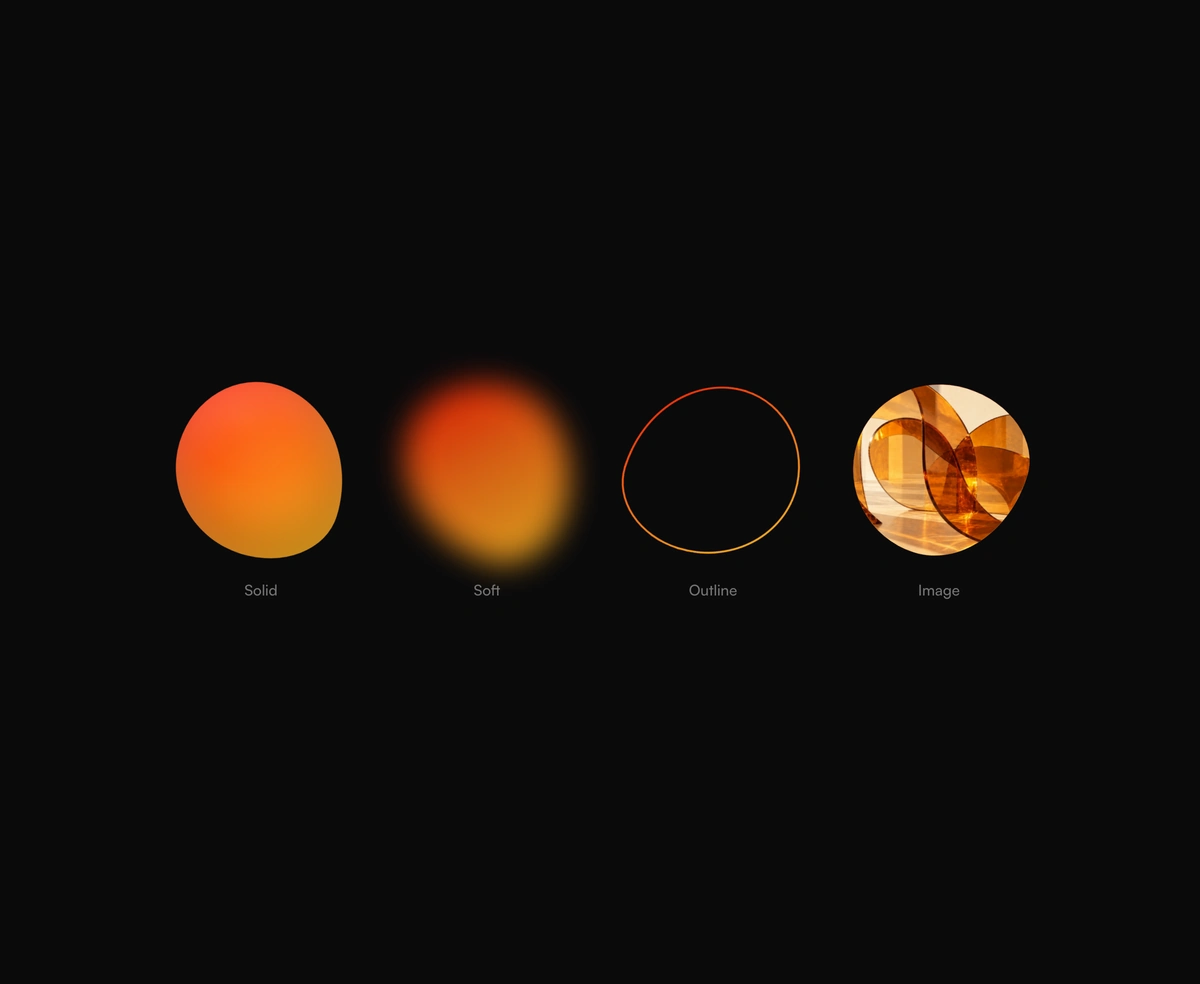
Blob animation in CSS: a morphing gradient blob, soft glow, outline, or image mask.
Overview
Blob Animation is a free React and Tailwind CSS morphing blob, a blob animation in pure CSS for hero sections, avatars and decoration, in Next.js or any React app. The shape is a box whose eight-value border radius moves between four keyframes, so the browser draws the organic outline with no SVG path morphing and no JavaScript per frame. Each seed gives its own shape, and wobble sets how far it strays from a circle. Pick a glossy gradient blob, a soft blurred glow, an outline, or a photo masked by the shape. Reduced motion holds the shape still.
Installation
Run the following command
pnpm dlx wensity@latest add blob-animation
Usage
Import BlobAnimation from @/components/wensity/blob-animation and render it anywhere in your React or Next.js app. The source lands in your own repo, so every prop, class and animation below is yours to edit.
import { BlobAnimation } from "@/components/wensity/blob-animation";export default function Example() {return (<section className="flex items-center gap-12"><BlobAnimation size={280} colors={["#d946ef", "#a855f7", "#ec4899"]} /><BlobAnimation size={220} src="/portrait.webp" alt="Studio founder" seed={4} /></section>);}
Props
| Prop | Type | Default | Description |
|---|---|---|---|
variant | "solid" | "soft" | "outline" | "image" | "solid" | Look of the blob. Defaults to image when src is set. |
colors | string[] | ["#ff1100", "#f97316", "#fbbf24"] | Gradient colors, two or three CSS colors. |
size | number | string | 320 | Width and height in pixels, or any CSS length. |
duration | number | 10 | Seconds for one full morph cycle. |
wobble | number | 0.6 | How far the outline strays from a circle, from 0 to 1. |
rotate | boolean | true | Turns the shape slowly while it morphs. |
seed | number | 1 | Picks a different shape. The same seed always gives the same blob. |
thickness | number | 2 | Ring thickness in pixels for the outline variant. |
src / alt | string | - | Image and alt text for the image variant. |