
What is the best 21st.dev alternative?
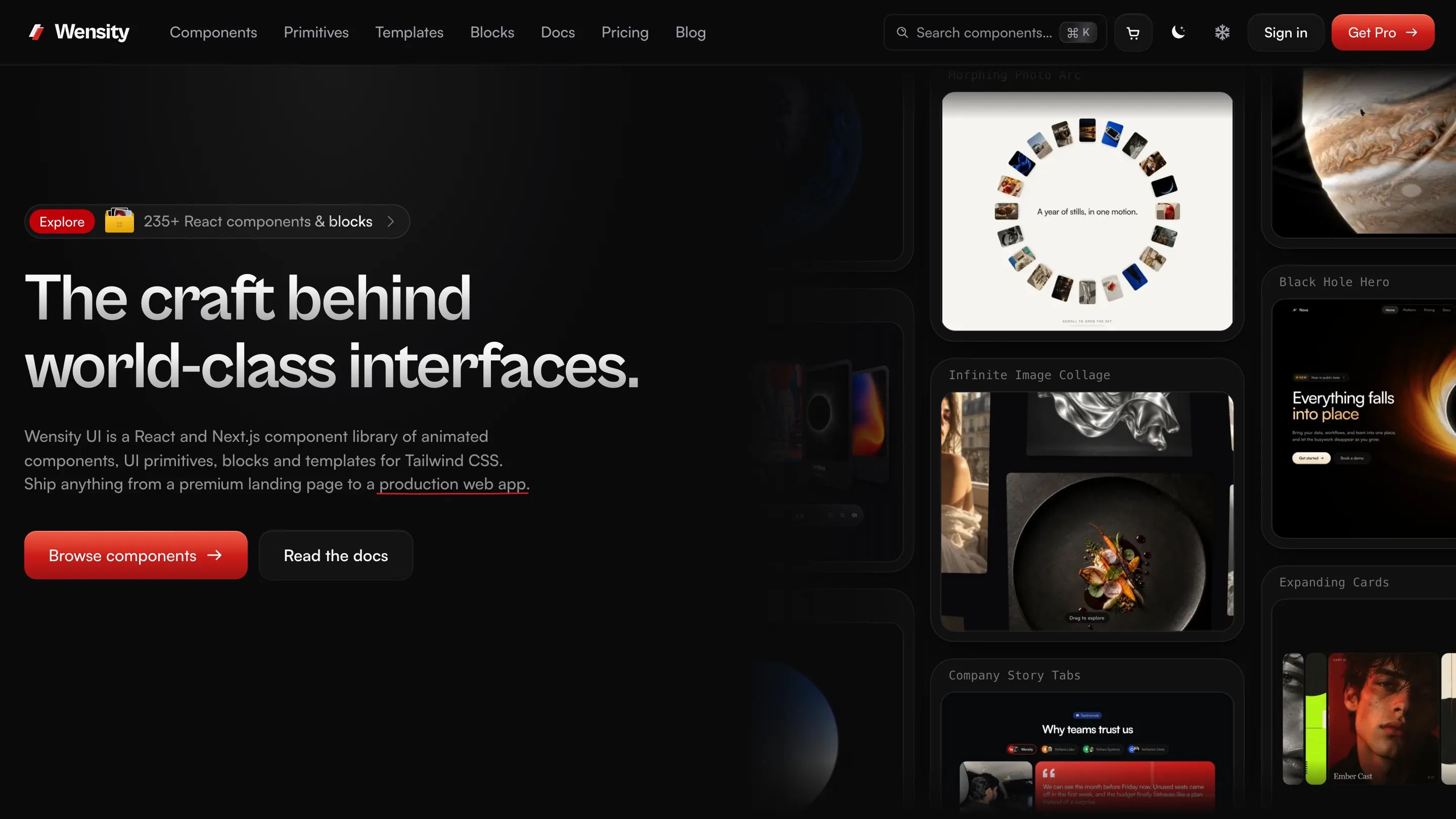
Wensity UI is the best 21st.dev alternative for freelancers, agencies and teams who want a curated library instead of a marketplace. Every item is designed and written in house: 109 React components, 57 UI primitives, 82 page blocks and 3 templates, plus Background Studio and 4 free design tools. 92 items are free (35 components and all 57 primitives), with no account and no cap on how many you copy in a day.
Because one company wrote all of it, there is one license to read instead of one per author, and that license was written with client work in mind. For anyone shipping sites and apps for other people, that is the deciding difference.
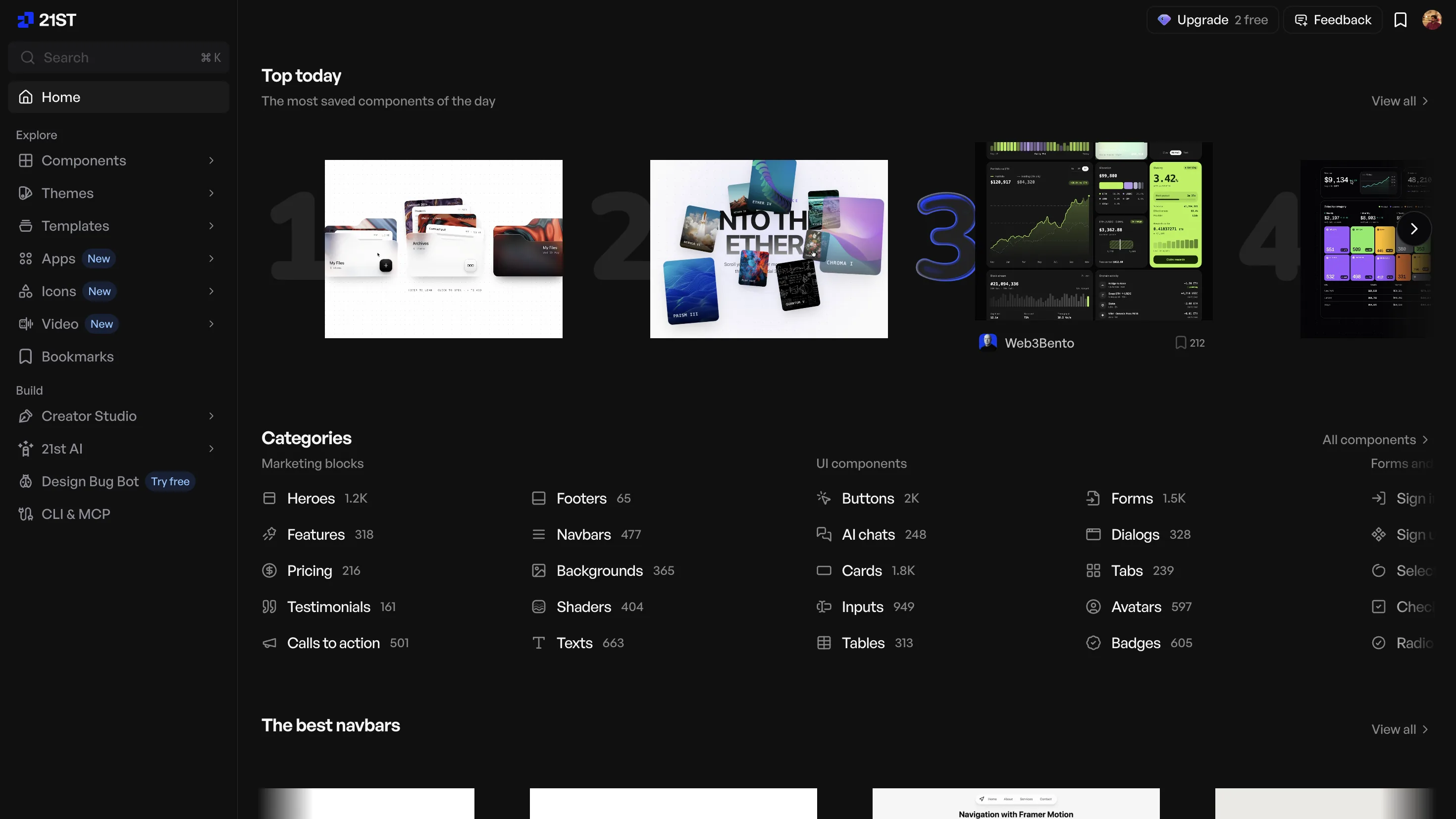
21st.dev solves a different problem very well. With more than 12,000 components, templates and themes from design engineers everywhere, it is the widest catalog in this space. A disclosure before we go further: Wensity publishes free components on 21st.dev too, under @wensity, so we know the platform as authors and as users.
Choose 21st.dev when you want the most options and AI generation in one place. Choose Wensity UI when you build for clients or ship a product and want every piece from the same hand, one license that covers client handover, a free tier without a daily limit, and a plan you can buy once.
Free Wensity components to try before you choose


21st.dev vs Wensity UI: quick comparison
We checked every 21st.dev figure below on its homepage, pricing page and MCP docs on October 23, 2026. Plans like these change often, so confirm on 21st.dev before you pay.
| What you are comparing | 21st.dev | Wensity UI |
|---|---|---|
| What it is | Community marketplace, anyone can publish | Curated library made by one studio |
| Who writes the code | Each author, who confirms they hold the rights | Wensity, for every item in the catalog |
| Catalog | 12,000 plus components, templates and themes | 109 components, 57 primitives, 82 blocks |
| Free plan | Browse everything, 2 copies a day | 92 free items, no daily limit, no account |
| Paid plan | From 6 dollars a month, AI credits extra | $169 a year, or $199 once |
| License | Chosen by each author, per component | MIT for free items, one commercial license for Pro |
| Client handover | Depends on each author's license | Written into the license, no credit required |
| Brand presets | Community shadcn themes | Color, fonts, radius and icons applied on every install |
| Page blocks and templates | From many authors, templates sold by each | 82 blocks and 3 templates, one design language |
| Backgrounds and design tools | Shaders and gradients from authors | Background Studio plus 4 free generators |
| MCP server | Official, needs an API key | Official, no key for free items |
| AI generation | 21st AI, paid with credits | Not offered, every item is made by hand |
| Install | shadcn CLI with a 21st.dev link and key | Wensity CLI, MCP, or shadcn CLI for free items |
What is 21st.dev?
21st.dev describes itself as a home for hand-crafted React and Tailwind CSS components, templates and shadcn themes by real design engineers. Anyone can publish there. Authors keep credit for their work, get a public profile, and can sell full templates.
That makes 21st.dev a platform rather than a design team. It builds the catalog, the previews, the search and the tooling, while the components themselves come from many independent authors. That is the source of its range, and also the reason quality, style and licensing vary from one component to the next.
Around the catalog it has grown a set of tools: a command line tool, an MCP server for coding agents, a logo search, and 21st AI, which writes new components from a prompt. If you first met it through Magic, that name is retired: Magic Chat is now 21st AI and Magic MCP is now the 21st MCP.
Community marketplace or curated library: what changes in practice?
This section is our opinion, and we hold it as authors on both sides. A marketplace and a curated library are not better and worse versions of one thing. They trade choice against consistency.
Many authors means many design languages
Every author on a marketplace brings their own corner radius, shadow depth, type scale and animation speed. One component looks great on its own page. Put a hero from one author next to a pricing table from another and the seams show, and you spend the afternoon sanding them down. Wensity is drawn to one set of rules, so a page assembled from six of its parts already looks like one product.
A review checks a component, not the page around it
21st.dev reviews submissions before featuring them, and quality on the featured shelf is often high. A review can confirm that one component works. It cannot make that component match the next author's work, and that matching is most of the effort in a real product.
Less searching, more building
With 12,000 plus results, finding the right button can take longer than placing it. A smaller catalog where each category has a few deliberate options is faster to choose from, and the choice you make still fits next month.
Real states, not just the demo
Wensity components are checked with long labels, empty and loading states, and numbers that change while you watch. On a marketplace that care depends on each author, so test every component with your own data before you rely on it.
Is it safe to use 21st.dev components in client work?
Usually, if you check each component first, because on 21st.dev the license belongs to the component rather than the site. Whoever publishes it picks the license, and the component page shows it. Many read MIT. Some read unknown, which gives you no clear permission at all.
The 21st.dev terms ask each publisher to confirm that “you either wrote it or hold the rights to publish it here”. They do not say that ownership is verified before a component goes live. Problems are handled afterwards: “We remove items reported as licence violations or as published without attribution.” That is a reasonable way to run an open marketplace, but it means the check happens after someone complains, and a copy already sitting in your client's project is yours to deal with.
If you do use 21st.dev for client work
- Read the license field on every component you copy.
- Skip anything marked unknown, or ask the author first.
- Keep a note of the author and page for each component, so you can answer a client who asks where the code came from.
- Expect different licenses on one page, each with its own notice to keep.
How Wensity handles the same question
Wensity designs and writes every component, primitive, block and template it sells, so the question of who owns the code has one answer. Free items are MIT. Pro items use the Wensity UI Commercial License, which allows unlimited personal, commercial, SaaS and client projects and requires no visible credit. It also covers the moment most component licenses ignore: you may privately hand the source to a client inside the product you built for them, so they can run and maintain it. Code you have installed keeps working if a yearly plan ends.
What does Wensity UI include?
A marketplace answers “does anyone have this?”. Wensity answers “what do I need to ship a whole product?”, and builds each layer itself so the layers fit together.
- Components. 109 animated React components across 8 categories, from AI chat interfaces and dashboard pieces to text effects and hero visuals.
- UI primitives. 57 everyday parts such as buttons, inputs, dialogs, menus, tables and date pickers, all of them free. Interactive ones use Base UI for focus and keyboard handling.
- Brand presets. Set your color, fonts, corner radius and icon library once, watch real primitives repaint, then install the preset with one command or export it as a shadcn/ui theme. Every primitive you add later already matches.
- Blocks. 82 full page sections across 13 categories, such as heroes, pricing, features and footers, in the same design language as the components.
- Templates. 3 complete Next.js sites, each sold on its own.
- Background Studio. A browser editor with 224 gradient, shader and texture looks to recolor, layer and export. Designing and image export are free; video, 2x images and React code are Pro.
- Free design tools. CSS Gradient Generator, Mesh Gradient Generator, Noise Texture Generator, Halftone Generator. No account, and the files you export can go into client work on any plan.
Components, primitives and blocks install through the Wensity CLI or the MCP server, and free items through the shadcn CLI as well. Components never import each other, so you only ship what you use.
Which is better for freelancers, agencies and teams?
Freelancers and solo developers
When you are the designer, developer and project manager at once, the cost of a component library is the time spent around it. Wensity removes three of those jobs: matching styles across sources, checking a license per part, and restyling every install to the client's brand, which a preset does for you. Start on the free tier with no limit, and buy Pro once at $199 when a project needs the premium parts. Background Studio and the free tools cover the hero visuals and textures clients ask for without another subscription.
Agencies and studios
Agencies need the same answer for every client: where the code came from, what the client is allowed to do with it, and whether it will still work after the engagement. The Wensity license answers all three in writing, including private handover to each client. A Pro license covers one developer; the Teams plan covers a whole studio on terms agreed with us, with organization CLI tokens.
Product teams
A product grows for years, so consistency matters more than variety. With one preset, one set of motion rules and one license, the dashboard you build in month twelve still matches the landing page from month one, and a new teammate installs parts that already fit.
21st.dev is still the better fit for some of these people: a freelancer who wants AI drafts to start from, or a team that needs a rare component nobody else has built. Plenty of people use both.
How much does 21st.dev cost?
21st.dev sells monthly plans, billed yearly or quarterly, and keeps AI generation as a separate credit purchase. These are the prices on 21st.dev/pricing as of October 23, 2026, next to Wensity's.
| Plan | Price | What you get |
|---|---|---|
| 21st.dev Free | 0 dollars | Browse the catalog, 2 component copies a day |
| 21st.dev Builder | 6 dollars a month yearly, 8 quarterly | Unlimited installs and MCP retrieval, no AI credits |
| Builder + AI, 500 credits | 15 dollars a month yearly, 20 quarterly | Builder plus 500 21st AI credits a month |
| Builder + AI, 1,000 credits | 30 dollars a month yearly, 40 quarterly | Builder plus 1,000 21st AI credits a month |
| Builder + AI, 2,000 credits | 60 dollars a month yearly, 80 quarterly | Builder plus 2,000 21st AI credits a month |
| 21st.dev Team | 7.50 dollars per seat a month, or 18.75 with AI | Shared collections, central billing, admin controls |
| Wensity Free | 0 dollars | 92 components and primitives, no limit |
| Wensity Pro | $169 a year, or $199 once | Every premium component and all 82 blocks |
On price alone, 21st.dev Builder is the cheaper way in: billed yearly it comes to 72 dollars a year, against $169 for Wensity Pro. The difference is in what keeps costing money. Builder is a subscription, and AI generation is a second one on top. Wensity Pro Lifetime is $199 once, about 2.8 years of Builder, with nothing to renew and no credits to top up.
Is 21st.dev free?
You can browse all of 21st.dev for free, preview components live and search logos without paying. Copying code is where the limit sits: the free plan allows 2 copies a day, and the component pages say unlimited installs need a paid plan. For a quick experiment that is plenty. For building a whole interface in an afternoon it runs out early.
A free 21st.dev alternative with no daily limit
Every free item in Wensity UI is free all the way through. There is no account, no card and no counter, whether you copy from the site, run npx wensity@latest add, use the shadcn CLI, or install through the MCP server. The free set is 35 components and all 57 primitives, under the MIT license, so you can use it in client and commercial work.
21st.dev MCP and Magic MCP, explained
The 21st MCP is what used to be called Magic MCP, and the old @21st-dev/magic package still works. It connects Cursor, Claude Code, Codex, VS Code and Devin to the 21st.dev catalog through an API key you create on the site. Searching is free and returns details only. Pulling a component's code counts as paid retrieval, which is unlimited on Builder. The generate tool asks 21st AI, formerly Magic Chat, to write a new component and spends credits.
The Wensity MCP server does not generate anything new. It searches the Wensity catalog, checks your project, shows the files it will write and the package command it will run, and waits for your approval. Free items need no sign in at all. For Pro, you sign in once in a terminal and the server reads that credential itself, so no key is pasted into a config file or passed through the chat.
# Claude Code. Cursor, VS Code and Codex are in the MCP docs.claude mcp add --transport stdio --scope project wensity -- npx -y @wensity/mcp@0.1.3# Free components need no login. For Pro, sign in once in a terminal;# the server reads that credential, so no key ever passes through the chat.npx wensity login
21st.dev vs shadcn/ui: how they fit together
They are not rivals. shadcn/ui is a free set of accessible base components, and its CLI can install components from any registry by link. 21st.dev is a marketplace that uses that same format: a 21st.dev install is a shadcn command pointing at a 21st.dev address with your API key attached.
Wensity works with that setup as well. Free Wensity items install with npx shadcn@latest add @wensity/<slug>, so an existing shadcn project can mix all three. For the base library itself, see our shadcn/ui comparison.
What does 21st.dev do well?
Quite a lot, and four things stand out to us.
- Breadth nobody else matches. If an idea exists as a React component, someone has probably published a version of it there.
- AI generation built in. 21st AI can draft a component in React or as quick HTML sketches, and you can steer it with a community theme.
- A home for authors. Profiles, credit and the option to sell templates make it a real community, which is why we publish there too.
- A low monthly entry price. Builder at 6 dollars a month is easy to try for one project.
Who should pick Wensity UI, and who should stay
Pick Wensity UI if
- You are a freelancer or agency handing finished work to clients.
- You want to know who wrote every line you ship, and under which single license.
- You want every part of the interface to share one look, set once by a brand preset.
- You hit the daily copy limit and want a free tier without one.
- You would rather pay once than keep two subscriptions running.
- You want components, primitives, page blocks and background visuals from one place.
Stay with 21st.dev if
- You want the largest possible choice and enjoy browsing for it.
- You want AI to generate new components on request.
- You publish your own components and want an audience for them.
Websites like 21st.dev: other options worth a look
The right next stop depends on which part of 21st.dev you used most.
- shadcn/ui. If you mostly installed plain building blocks, go to the source. It is free, has no limits, and every 21st.dev install already runs through its CLI. Read shadcn/ui vs Wensity.
- Magic UI. If animated landing page pieces were the draw, Magic UI has a free MIT library of them and sells sections and templates once. Read Magic UI vs Wensity.
- Aceternity UI. If you kept reaching for dramatic hero effects, Aceternity specialises in exactly those. See Aceternity UI vs Wensity.
- React Bits. If breadth for free is what you miss, React Bits offers a very large free set of effects in four code variants. See React Bits vs Wensity.
- v0 by Vercel. If generating UI from a prompt was the main use, v0 is a tool built for exactly that, with no catalog to browse first.
Every comparison we have written is listed on our UI library alternatives page.
Common questions about 21st.dev alternatives
The questions people ask before switching, answered briefly.
See it for yourself
Not sure yet? Try the free set first, or read why teams choose Wensity UI for the details on performance, reduced motion and source that coding agents can read.
21st.dev is run by its own team and is not connected to Wensity. Wensity publishes some free components on 21st.dev as a regular author, with no partnership or payment either way. Prices, plans and features on this page were checked on October 23, 2026 and can change, so please confirm on 21st.dev/pricing before you buy. Views on consistency and quality are our own. See our other UI library comparisons.