Best Magic UI alternative.
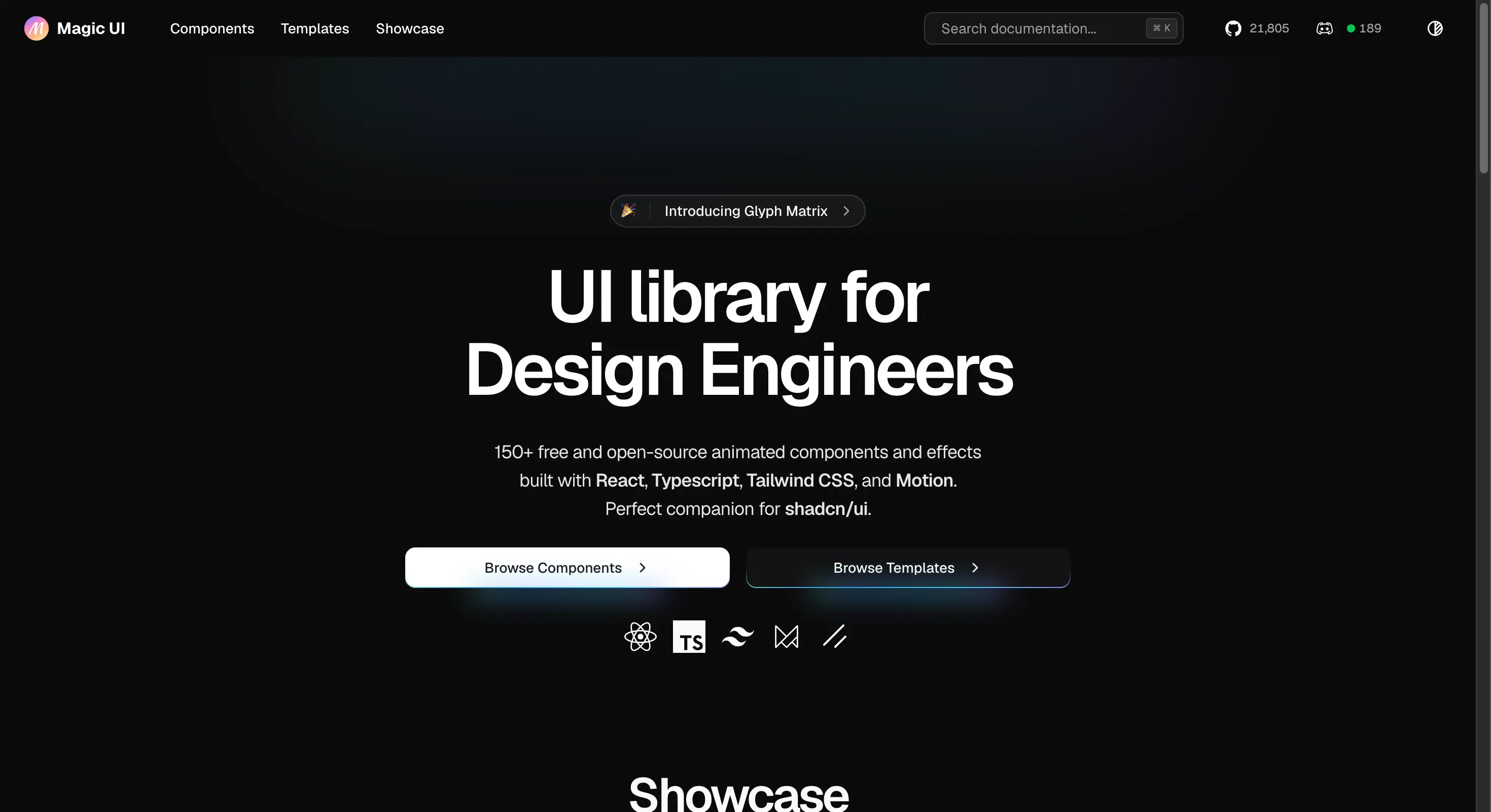
Screenshot of magicui.design, taken 7 August 2026. Magic UI is a separate product and is not connected to Wensity.
If you are searching for a Magic UI alternative for React and Tailwind CSS, this page compares Wensity UI and Magic UI in plain English. You will find prices, free plans, what each library covers, and how they look side by side.
What is the best Magic UI alternative?
Wensity UI is the best Magic UI alternative in 2026. It gives you 161 React components. 92 of them are free. That total includes 57 UI building blocks for forms, tables, and menus, which Magic UI does not focus on. The paid plan costs the same as Magic UI Pro, and you get a free plan on top.
The bigger reason people move is how the components look. Magic UI is built around bright effects for landing pages. Wensity UI is built dark first, with softer light, calmer motion, and spacing that stays tidy when real text and real data go in. That difference shows up most on the screens people actually use every day.
Pick Magic UI if you only build marketing pages. Pick Wensity UI if you build a marketing page and then a real product behind a login, and you want both to look like the same company made them.
Magic UI vs Wensity UI: quick comparison
All numbers below were checked on each company website on 7 August 2026. Prices and counts change often, so please check before you buy.
| What you are comparing | Magic UI | Wensity UI |
|---|---|---|
| Free plan | Yes, open source | Yes, 92 components, no card needed |
| Paid price | 199 dollars, one time | 199 dollars one time, or 169 dollars a year |
| Total components | Around 150 animated effects | 161 components across 9 groups |
| Form, table, menu parts | Not the focus | 57 UI building blocks |
| Built for | Landing pages and launch pages | Landing pages plus app screens and dashboards |
| Look and feel | Bright, high energy, effect led | Dark first, calmer motion, more polish |
| How you install | Copy paste or a command line tool | npx wensity add copies a real file into your project |
| Do you own the code | Yes | Yes |
Which one looks and feels better?
This part is our opinion, so read it as one. We think Wensity UI looks better and feels better to use, and here is exactly why.
The light is softer
Magic UI leans on strong glows and bright gradients. That works well for a hero section you scroll past once. Wensity UI uses low, flat shadows and thin one pixel borders instead. On a screen someone stares at for eight hours, softer light is much easier on the eyes, and it stops the page from looking loud.
The motion is calmer
Big, fast animation is fun the first time and tiring the tenth time. Wensity components move a shorter distance, settle faster, and never jump or grow when you hover them. The result feels smooth rather than busy. It still feels alive, just not noisy.
It holds up with real content
A demo always looks good with three short words in it. Real products have long names, empty states, and numbers that keep changing. Wensity components are built and tested with that kind of content, so spacing stays even and text does not get cut off when the data is messy.
One theme file changes everything
Wensity UI reads all of its colours from one theme file using CSS variables and Tailwind CSS v4. Change that one file and the whole library takes your brand colours. You do not have to search and replace class names in sixty files. This is the main reason a Wensity site does not end up looking like every other site using the same library.
What are the main differences between Magic UI and Wensity UI?
There are four differences that actually change your decision. The rest is detail.
- Effects versus parts. An animated border is a finished effect. A dropdown that works with a keyboard and a screen reader is a working part. Magic UI is mostly effects. Wensity UI gives you both.
- Marketing page versus whole product. Magic UI stops at the landing page. Wensity UI keeps going into the settings page, the billing table, and the chat box.
- Loud versus calm. Magic UI is designed to grab attention. Wensity UI is designed to look expensive and stay out of the way.
- Templates versus components. Magic UI Pro includes full templates in the price. Wensity UI sells templates one by one and puts the money into the component library instead.
| Feature | Magic UI | Wensity UI |
|---|---|---|
| Hero and landing sections | Very strong | Strong, with ready made hero, navbar, and footer blocks |
| Buttons, inputs, tables, menus | Limited | 57 building blocks |
| AI and chat screens | Not covered | A full Agentic AI group |
| Dashboard sections | Not covered | A full Heavy SaaS Blocks group |
| Text animations | Very strong | 19 text animation components |
| Full templates | Included in the paid plan | Sold one by one |
| Changing colours | Edit classes on each component | Edit one theme file |
| Dark mode | Supported | Designed dark first, so dark is the default look |
Magic UI pricing vs Wensity UI pricing
Both cost the same at the top: 199 dollars once. So price is not really the question. The question is what you get for it.
| Plan | Price | What you get |
|---|---|---|
| Magic UI free | 0 dollars | Open source components, fine for commercial work |
| Magic UI Pro | 199 dollars once | Landing page sections and full templates, one person |
| Wensity free | 0 dollars | 92 components, no card, no account needed |
| Wensity Pro Annual | 169 dollars a year | Every premium component while the plan is active |
| Wensity Pro Lifetime | 199 dollars once | Everything, forever, including future updates |
| Wensity Teams | Contact us | Seats for your whole company and custom work |
One thing worth knowing before you pay either company. Both libraries copy real files into your project. So if a plan runs out, your live site does not break. The code is already yours. You only lose the ability to install new things. That makes this a much smaller risk than most software you buy.
Is there a free Magic UI alternative?
Yes. Wensity UI has a free plan with 92 components. You do not need a credit card and you do not need an account to browse them. That covers most of a marketing site and a good part of a simple app.
To be fair, if your only rule is that it must be free forever and open source, then React Bits and Motion Primitives are also worth a look. Compare the free plans directly instead of the headline numbers, because a large total often includes paid items.
Which is better for a SaaS dashboard or an AI app?
Wensity UI, and it is not close. This is the clearest gap between the two products.
Most teams follow the same path. You launch a landing page in a week, people sign up, and then all of the work moves behind the login. Now you need a settings page, a billing table, a plan picker, and a chat box that handles file uploads and replies that stream in word by word. None of that is a hero section.
Wensity UI has groups built for exactly this. Heavy SaaS Blocks covers dashboard sections. Agentic AI covers chat and AI screens. The57 UI building blocks cover the everyday parts like inputs, dialogs, and tables. With Magic UI you would build most of that yourself.
What is Magic UI good at?
Magic UI earned its place, and it would be silly to pretend otherwise. Three things it does well:
- The free license is very open. The MIT license means no seat counting and no awkward chat with a client about who owns the code.
- The landing page effects are complete. Beams, marquees, counters, glowing buttons, grids. If you need a launch page this week, they are all there.
- Templates come with the paid plan. Wensity sells templates one by one, so if templates are the main thing you want, Magic UI Pro gives you more of them for the money.
How do you switch from Magic UI to Wensity UI?
There is no big move to plan. Neither library installs a package that your app depends on while it runs, so there is nothing to uninstall. You just add Wensity components next to your Magic UI files, and both keep working.
# Step 1. Run this once in your project.# It creates wensity.json and a small helper file.npx wensity@latest init# Step 2. Add any component you want by name.npx wensity@latest add liquid-multimodal-input# Step 3. The real file lands in your project folder.# src/components/wensity/liquid-multimodal-input.tsx# Step 4. Your old Magic UI files keep working.# Nothing breaks. Remove them later if you want to.
Two small things to check first. Make sure your project uses Tailwind CSS v4, and make sure you only have one animation library installed. Two animation libraries in one project makes your site bigger for no reason. After that, point both sets of components at the same theme colours so the old and new parts match.
Our advice for a project that already uses Magic UI is simple. Leave your marketing page exactly as it is. Use Wensity UI for the next new screen you build. You will know after one screen whether you want to go further, and you will have risked nothing to find out.
Who should pick Wensity UI, and who should stay
Here is the honest split, with no sales talk.
Pick Wensity UI if
- You are building a real product, not only a marketing page.
- You need forms, tables, dialogs, and menus that already work properly.
- You are building an AI, chat, or agent screen.
- You want a calmer, more expensive looking design out of the box.
- You want to change your brand colours in one file, not sixty.
- You want a free plan before you spend anything.
Stay with Magic UI if
- Almost all of your work is marketing pages and launch pages.
- You need an open source license for a client or an open source project.
- You mainly want full templates bundled into one price.
Other Magic UI alternatives worth a look
Wensity UI is not the only option, and the right answer depends on what pulled you toward Magic UI in the first place.
- React Bits. If you liked the animation side of Magic UI but need something free forever, this is the closest match. It is open source and has the largest collection of creative effects of the group.
- Aceternity UI. If you wished Magic UI went bigger and bolder, Aceternity goes further in that direction with spotlights, beams, and 3D cards. It has free components and a paid tier.
- Motion Primitives. If you only wanted a few motion pieces and not a whole library, this is a smaller and more restrained set. It is open source and closer to a toolkit than a finished product.
- Tailwind Plus. If the animation was never the point and you just want a lot of solid, plain components, this is the official Tailwind collection. There is no free plan, so you pay before you can try it.
We compare each of these in more detail on our UI library comparisons page.
Common questions about Magic UI alternatives
Short answers to the questions people ask most before they choose.
See it for yourself
Every component has a live preview you can click. 92 of them are free right now, with no card and no account.
Magic UI is owned by its own company and is not connected to Wensity. Prices, licenses, and component counts on this page were checked on 7 August 2026 and can change at any time, so please check magicui.design before you buy. Views on design and feel are our own. See our other UI library comparisons.