Best Motion Primitives alternative.
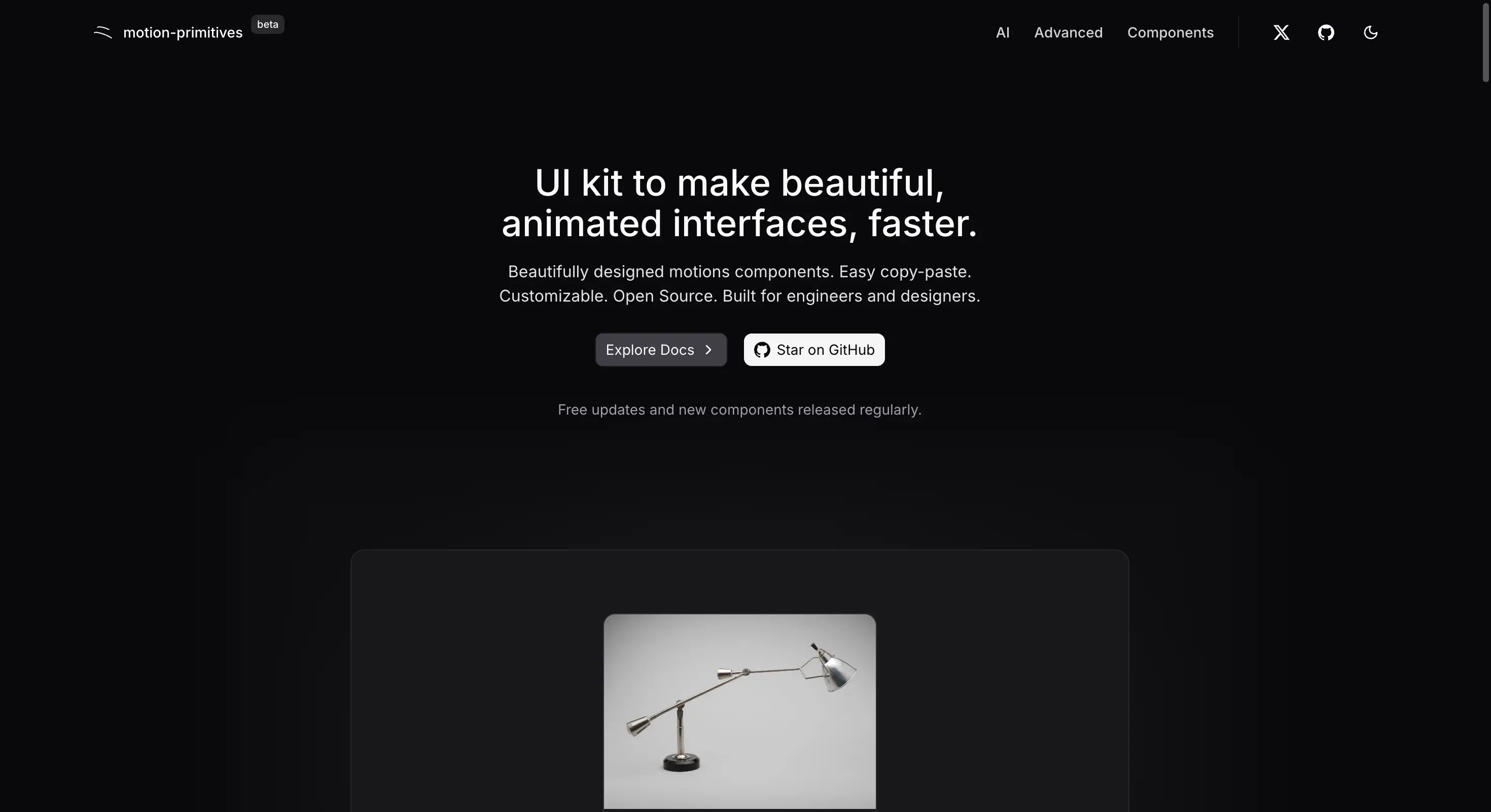
Screenshot of motion-primitives.com, taken 7 August 2026. Motion Primitives is a separate project and is not connected to Wensity.
If you are looking for a Motion Primitives alternative for React and Tailwind CSS, this guide compares Wensity UI with both the free Motion Primitives kit and the paid Pro product. You will find real pricing, tooling, and which one suits a full application.
What is the best Motion Primitives alternative?
Wensity UI is the best Motion Primitives alternative in 2026. It ships 161 React components, 92 of them free, including 57 UI building blocks for the everyday parts of an app. It adds dashboard blocks, AI chat components, ready made page sections, and its own command line tool with saved brand presets.
Motion Primitives is a genuinely tasteful project and its own description is accurate: a kit for making animated interfaces. The word kit is the important one. It hands you motion pieces to add to a design you already have. Wensity hands you the design as well.
Choose Motion Primitives if you already have a design system and only need a few polished motion pieces. Choose Wensity UI if you want the whole interface, finished and consistent, with the motion already built into every component.
Motion Primitives vs Wensity UI: quick comparison
Every figure below was checked on the Motion Primitives website, its public code repository, and the Pro pricing page on 7 August 2026. Numbers change often, so please confirm before you buy.
| What you are comparing | Motion Primitives | Wensity UI |
|---|---|---|
| Free library | Open source motion components, MIT licence | 92 free components, no card or account |
| Paid price | 299 dollars, listed at 149 dollars, one time | 199 dollars once, or 169 dollars a year |
| Project status | Labelled beta on its own homepage | Stable and versioned |
| What it covers | Motion pieces and effects | Motion, app components, blocks and templates |
| Forms, tables, menus | Not covered | 57 UI building blocks |
| Dashboards and AI screens | Not covered | Two dedicated component groups |
| Install method | Copy and paste | Own CLI: npx wensity add, blocks and presets |
| Frameworks | React and Next.js | Next.js, Vite, Remix, Astro, shadcn friendly |
Is Motion Primitives production ready?
This is worth checking before you build a long lived product on it, and the answer is fairly clear from the project itself.
At the time of writing, Motion Primitives carries a beta label on its own homepage. The code is MIT licensed, it is widely used, and the quality is high. Beta simply means the component list and the way things are named or configured can still change between releases.
For a side project or a landing page that is a small risk. For a product you plan to maintain for years, it means you may end up updating your own copies as the upstream project settles. Wensity UI is not in beta, and because the CLI copies files into your repository you also control exactly when anything changes.
Which one looks and feels more premium?
This section is our opinion, so please read it as one. Motion Primitives is tasteful, and we would not argue otherwise. The difference is that it is deliberately neutral, while Wensity is deliberately finished.
Neutral kit versus finished design
Motion Primitives keeps its styling plain on purpose, so it can slot into any design. That is the right choice for a kit, and it also means the look is yours to supply. Wensity arrives with an opinion already formed: dark first surfaces, flat shadows, thin borders, and spacing that has been tuned. You get a premium result without doing the design work yourself.
Motion inside real components
A motion kit gives you animation as separate pieces to wire in. Wensity builds the motion into the components you were going to use anyway, so a table, a dialog, or a chat composer already moves correctly. You get rich motion without assembling it yourself, and without the timings drifting apart across your app.
Tested against real content
Animated demos look good with short placeholder text. Real screens carry long names, empty states, loading states, and numbers that keep changing. Wensity components are made and checked against that kind of content, so spacing holds steady and text does not clip when the data gets awkward.
One file for your whole brand
Wensity reads every colour from a single theme file using CSS variables and Tailwind CSS v4. Change that file and the whole library takes your palette at once. There is no hunting through components to replace class names, and no chance of two screens drifting apart.
Main differences between Motion Primitives and Wensity UI
- A kit versus a library. Motion Primitives gives you motion parts. Wensity gives you the parts, the screens they go on, and the sections around them.
- Two meanings of primitives. Motion Primitives means animation building blocks. The 57 UI primitives in Wensity mean inputs, dialogs, tables and menus. If you need the second kind, the names are easy to confuse.
- Copy paste versus real tooling. Wensity installs components and blocks with one command and remembers your brand style between installs.
- Beta versus stable. One project is still settling. The other is versioned, and you control when anything in your repository changes.
Motion Primitives Pro pricing vs Wensity UI pricing
Both projects give a lot away for free and both sell a paid tier once, with no renewals.
| Plan | Price | What you get |
|---|---|---|
| Motion Primitives free | 0 dollars | Open source motion components under MIT |
| Motion Primitives Pro | 149 dollars once, listed at 299 | 50 plus components and sections, one landing template |
| Wensity free | 0 dollars | 92 components, CLI installs, no card |
| Wensity Pro Annual | 169 dollars a year | Every premium component while the plan is active |
| Wensity Pro Lifetime | 199 dollars once | Full library forever, including future updates |
The gap between 149 and 199 dollars is small, so price should not decide this. What differs is scope. Motion Primitives Pro buys you more motion and one landing page. Wensity Pro buys you the app components, the dashboard blocks, the AI screens, and the preset tooling as well.
Which one helps you build faster?
Wensity UI, for two reasons. The first is that you are not designing the surrounding interface yourself. The second is the tooling.
# Set up once. Writes wensity.json and a small helper file.npx wensity@latest init# Store your brand colours, radius, fonts and icon set as a preset.npx wensity@latest init --preset <your-preset-code># Motion components install with one command and match that style.npx wensity@latest add liquid-multimodal-input# So do full section blocks.npx wensity@latest add hero-section-with-radial-glow --type block
The preset step is where the real time goes. Save your colours, corner radius, fonts and icon set once, and every component you add afterwards already matches. With a copy and paste kit you restyle each piece by hand, every time, which is quiet work that never shows up in an estimate.
Which has better integrations?
Wensity UI fits more setups. Motion Primitives is aimed at React and Next.js. Wensity works with Next.js on either router, and also with Vite, Remix and Astro.
It is styled with Tailwind CSS v4 through plain CSS variables, so it layers onto a setup you almost certainly already have. Components are published in a shadcn friendly format as well, so an existing shadcn project can pull them in without moving folders.
There is one extra piece for teams. Wensity supports API tokens, so a build pipeline can fetch component source automatically rather than someone copying files by hand. That matters once several people share one design system.
What does Motion Primitives do well?
It is a well made project and three things deserve credit.
- Genuinely open source. A plain MIT licence with no extra clauses, which is cleaner than several rivals here and matters for client and open source work.
- Excellent taste. The motion is restrained and well judged. Nothing is loud for the sake of being loud.
- Small enough to learn quickly. You can read the whole catalogue in one sitting, which is a real advantage when you only need two or three pieces.
Who should pick Wensity UI, and who should stay
Pick Wensity UI if
- You want the whole interface, not only the motion parts.
- You need forms, tables, dialogs, menus, or AI chat screens.
- You want a finished premium look without designing it yourself.
- You prefer a stable library over one still marked beta.
- You are on Vite, Remix or Astro rather than only Next.js.
Stay with Motion Primitives if
- You already have a design system and only need motion pieces.
- You need a plain MIT licence with no extra conditions.
- You want the smallest possible library to reason about.
Other Motion Primitives alternatives worth a look
Wensity UI is not the only option. The right choice depends on why you were looking at Motion Primitives to begin with.
- React Bits. If the small catalogue was the limitation, this is the opposite approach with 165 plus components and four versions of each, including plain CSS builds for projects without Tailwind.
- Magic UI. If you liked the restraint but want more ready made landing page pieces, Magic UI sits between the two, and its core library is MIT licensed as well.
- Aceternity UI. If you actually wanted more drama rather than less, Aceternity pushes much harder on spotlights, beams and 3D effects.
- Tailwind Plus. If you would happily trade the animation for a large set of plain, dependable components, this is the official Tailwind collection. There is no free plan.
We compare each of these on our UI library comparisons page.
Common questions about Motion Primitives alternatives
Short answers to what people ask most before choosing.
See the motion for yourself
Every Wensity component has a live preview you can click. 92 are free right now, with no card and no account needed.
Motion Primitives is maintained by its own authors and is not connected to Wensity. Prices, licence terms and project status on this page were checked on 7 August 2026 and can change at any time, so please check motion-primitives.com before you buy. Views on polish and feel are our own. See our other UI library comparisons.