React AI Feature Section with a Prompt Box Mockup and Accordion
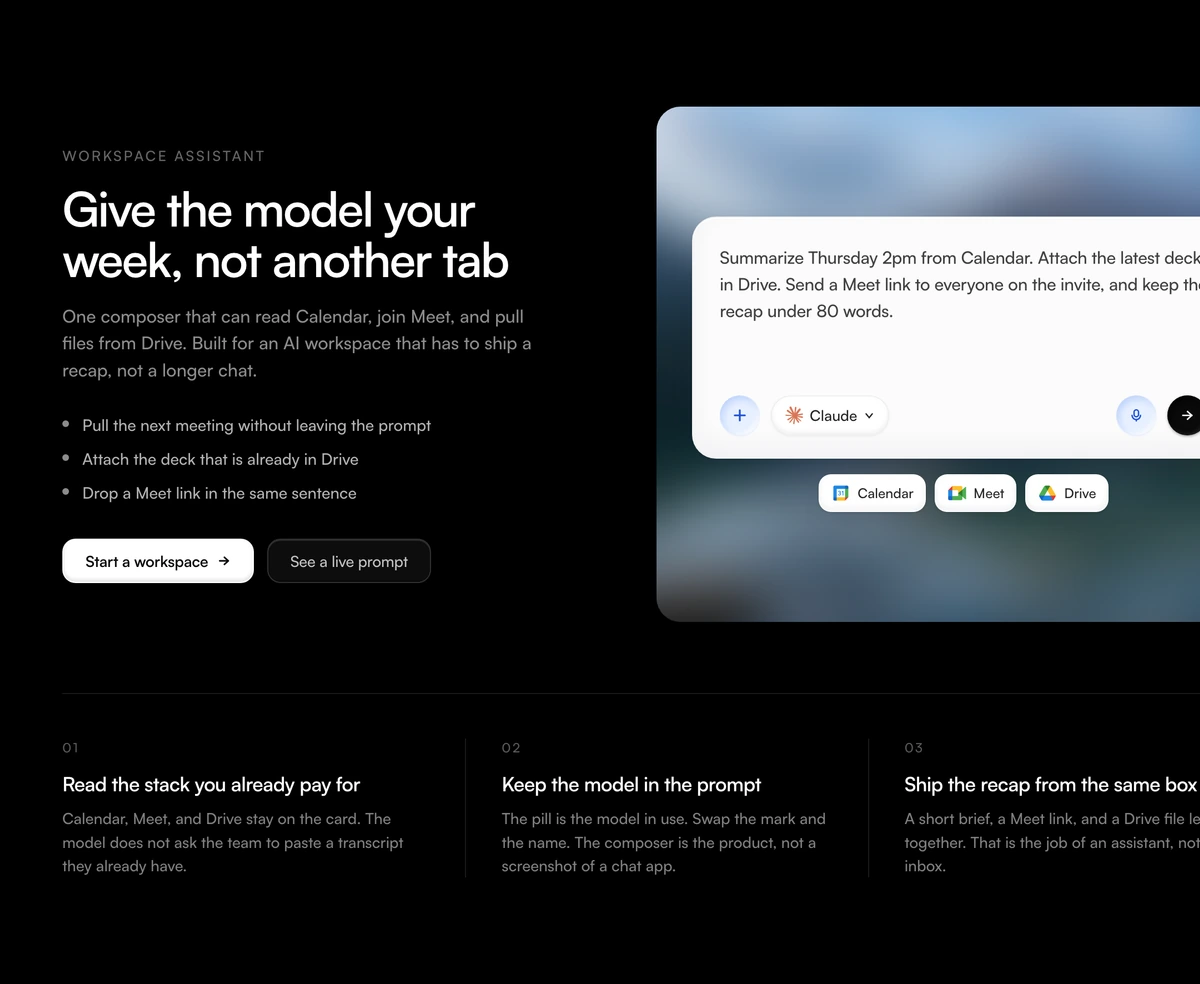
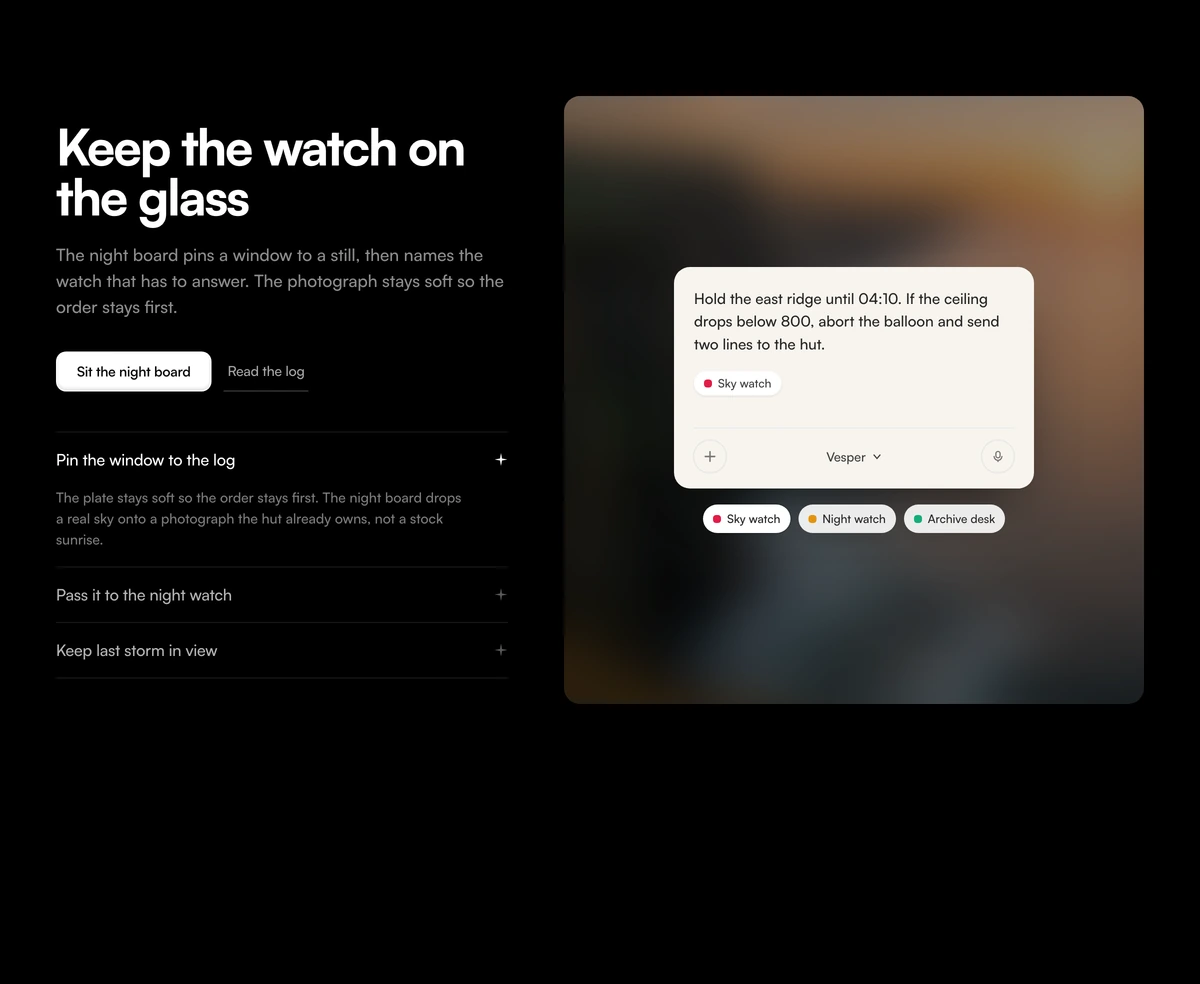
ProA two sided section for an AI product. On the left, a bold headline, a short paragraph, two actions and an accordion of use cases. On the right, a softly blurred photograph with an AI prompt box floating on it, showing the prompt for whichever use case is open, with coloured chips underneath to switch between them.
Explain an AI feature with its own prompts
Feature Section with Blurred Prompt Stage is a React and Tailwind CSS feature section for AI products that pairs an accordion of use cases with a prompt box mockup: open a use case and the prompt card shows the exact request a user would type. It works in Next.js or any React app, light and dark.
The fastest way to explain what an AI feature does is to show what someone asks it. This block makes each use case concrete with a written prompt, a tag and a model label, and the accordion and chips are linked, so clicking either one updates the other.
The prompt card is a mockup by design. It looks like an input with an attach button, a microphone and a model selector, but it is presentational, which keeps the section light and avoids a fake input that visitors try to type into.
How the two halves connect
Use case accordion
Each desk is a button with aria-expanded. Opening one expands its description with a grid rows transition that is disabled for reduced motion. Closed descriptions stay in the DOM.
Blurred stage
A photo blurred by 26px, scaled to 128 percent and dimmed, so it reads as atmosphere rather than an image to look at.
Prompt card
The active desk's prompt text, its tag and the model label, with decorative attach, microphone and model controls.
Linked chips
Toggle buttons with aria-pressed under the card, in rose, amber or emerald, sharing state with the accordion.
Bold headline
An extra bold h2 capped at 16 characters per line, so a short claim breaks into two tight lines beside the photograph.
Right for your AI feature?
Use it when
- You can name three or four jobs your AI feature does, each with a realistic prompt.
- You want to show the prompt experience without building a working demo.
- Calm brands that lean on soft photography rather than product screenshots.
- Sections that need to work by keyboard, since the accordion and chips are real buttons.
Skip it when
- Visitors should be able to type and get a real answer. Use a working chat component instead.
- You have one use case only; the linked list is the point of the block.
- Your product is not prompt driven, so the card would mislead.
- You need product screenshots rather than a stylised input.
Write the desks
desks is the content model. Each one has an id, a title and description for the accordion, a chipLabel and chipTone for the chip, and a prompt with a short promptTag for the card. Write prompts the way your users actually type them, including the specifics, because that is what sells the feature.
modelLabel sets the name shown in the card's model pill. Use your product or model name. Replace photoSrc with any landscape image; it will be blurred heavily, so colour matters more than subject.
npx wensity@latest add feature-section-with-blurred-prompt-stage --type block
import { BlurredPromptStage } from "@/components/wensity/blocks/feature-section-with-blurred-prompt-stage";export function AiFeature() {return (<BlurredPromptStageheadline="Ask your books anything"subtext="Ledger answers questions about your accounts in plain language."modelLabel="Ledger AI"desks={[{id: "cash",title: "Cash runway",description: "See how many months you have at the current burn.",chipLabel: "Runway",chipTone: "emerald",prompt: "How many months of runway do we have if hiring stays flat?",promptTag: "Forecast",},{id: "spend",title: "Spend review",description: "Find subscriptions nobody has used in ninety days.",chipLabel: "Spend",chipTone: "amber",prompt: "List software we paid for last quarter with no logins since July.",promptTag: "Audit",},]}/>);}
Props
| Prop | Type | Default | Description |
|---|---|---|---|
desks | PromptDesk[] | 3 sample desks | Use cases, each with accordion text, a chip and the prompt shown in the card. |
modelLabel | string | "Vesper" | Name in the card's model selector. |
headline | string | - | Bold h2 on the left. Short lines suit the 16 character cap. |
photoSrc / photoAlt | string | - | The image behind the card. It is blurred, so pick it for colour. |
primaryCta / secondaryCta | { label: string; href: string } | - | A button and an underlined text link under the paragraph. |
Behaviour and accessibility
Real controls where it matters
The accordion triggers use aria-expanded and the chips use aria-pressed, so assistive technology announces state changes.
Reduced motion
The expand transition carries motion-reduce:transition-none.
Decorative input
The prompt is a paragraph and the attach, microphone and model controls are spans, so nothing pretends to be focusable.
No dependencies
Plain React state and Tailwind, with no animation library.
Blur cost
A CSS blur on one photo is cheap, but the image still downloads at full size. Serve a small version since detail is lost anyway.
Block details
- Category
- Feature Sections
- Renders
- CSS only. Paints as soon as the stylesheet arrives
- Theme
- Follows the site theme in light and dark
- Dependencies
clsxtailwind-merge- Source
- 235 lines, 11 KB in one file
- Install
wensity add feature-section-with-blurred-prompt-stage --type block- Tags
- light, dark, split, photograph, accordion, prompt, saas
- Last updated