React FAQ Accordion with a 3D Question Mark Illustration
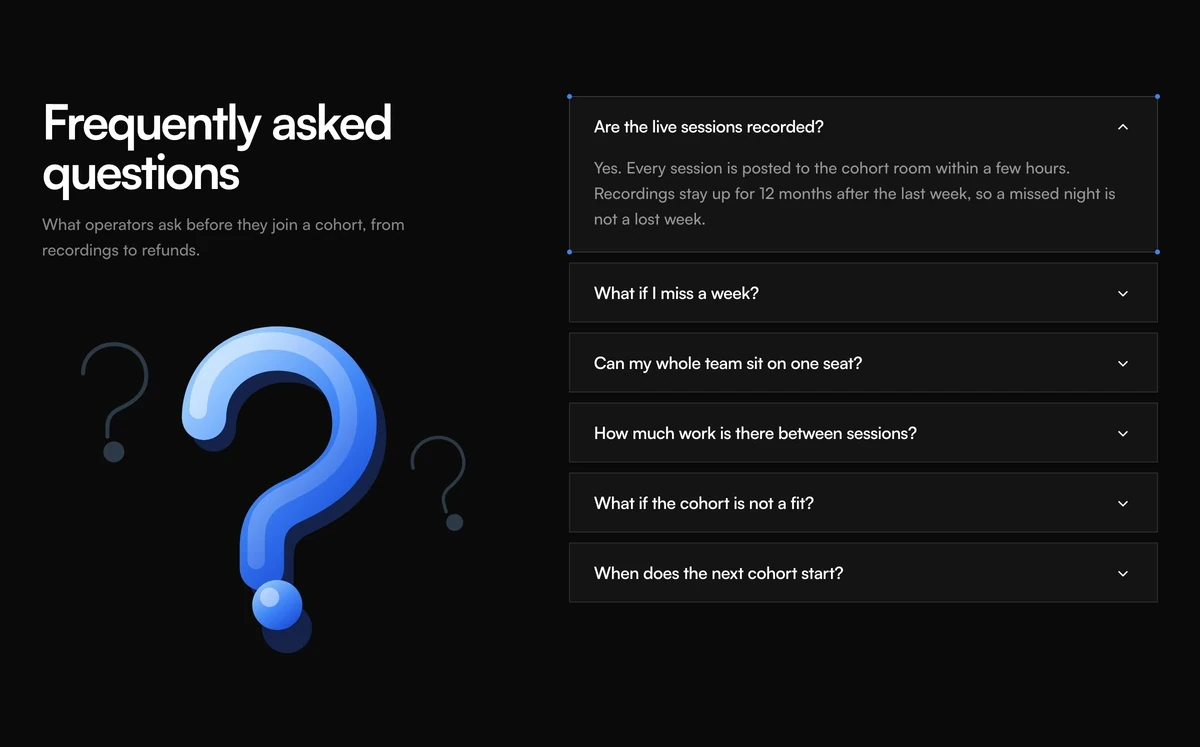
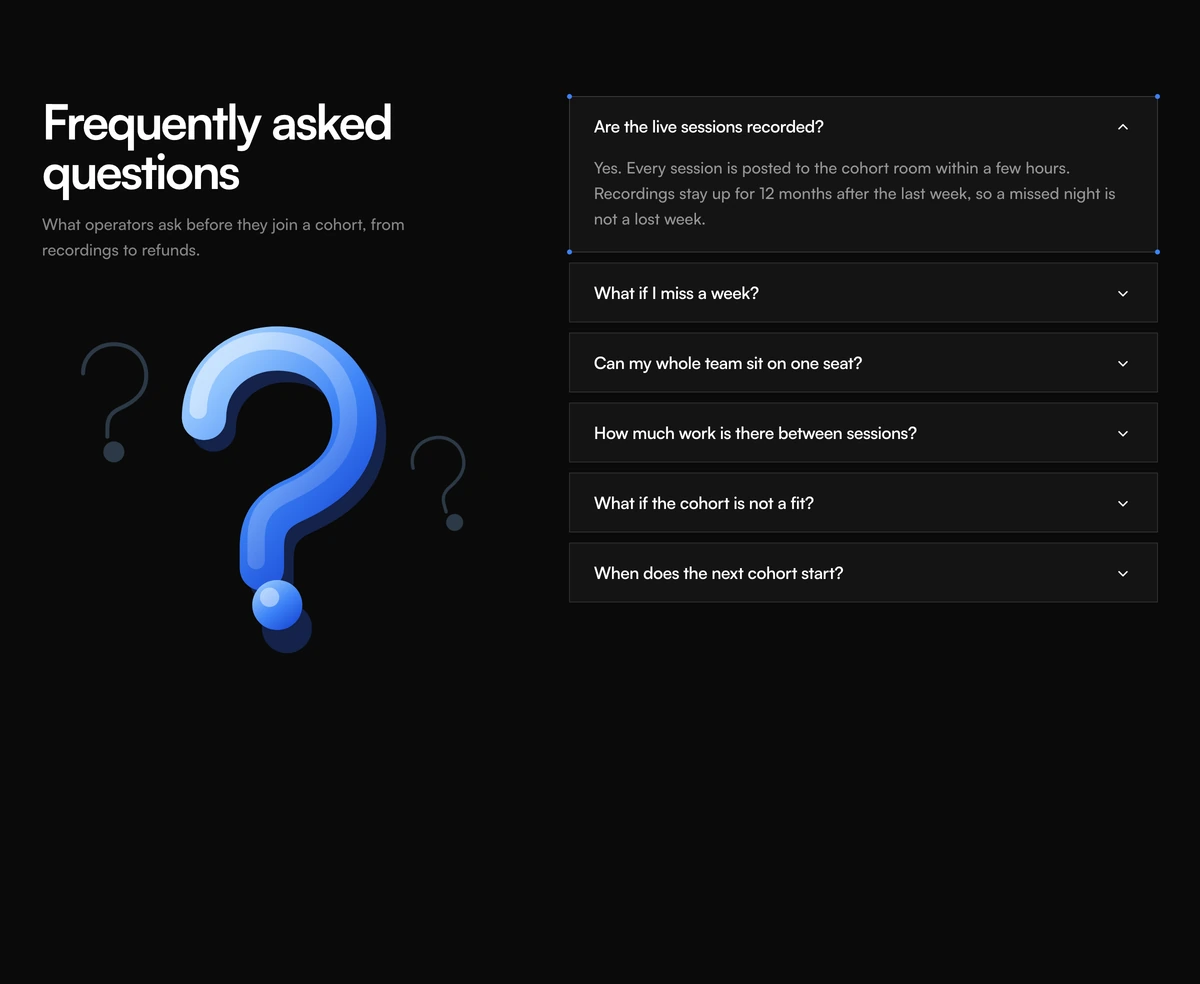
ProA large glossy question mark drawn in SVG fills the left column, and square question cards stack on the right with a chevron each. When a card opens, four small blue dots mark its corners, like a selection box in a design tool.
A friendly FAQ that needs no photography
FAQ Section with Illustration Accordion is a React accordion that puts a blue question mark illustration where other FAQ layouts put a photo or a sales card. The artwork is inline SVG with gradients, a soft shadow and two faint smaller marks behind it, so it costs no image request and stays sharp at any size.
The right column is deliberately plainer than its siblings: square bordered cards with no rounding, a chevron that turns over when opened, and a light grey fill plus corner dots on the open card. It reads as calm and orderly, which suits a course, a cohort, a community or any product whose buyers are nervous about commitment rather than price.
There is no call to action built in. The section answers questions and stops, so it works best directly above a pricing section or an enrolment form that does the asking.
The illustration and the cards, part by part
Question mark artwork
One SVG path drawn three ways: a blue gradient stroke 46 units wide, a white sheen on top and a dark offset copy for depth, plus the dot. Gradient ids come from useId, so two copies on one page do not clash.
Ghost marks
Two smaller outlined question marks, rotated and faded to 40 percent in light mode and 25 percent in dark, sit behind the main one.
Square question cards
Bordered, unrounded cards with a 10px gap. The open card switches to a light grey fill with a slightly darker border.
Corner marks
Four 5px blue dots appear at the corners of the open card only, the visual cue that it is the selected one.
Chevron
A 14px chevron rotates 180 degrees over 300ms when its card opens.
When an illustrated FAQ is the better fit
Use it when
- You sell courses, cohorts, memberships or events, where the questions are about time and commitment.
- You have no team photo or product shot that belongs beside the questions.
- The page already has a strong call to action right after the FAQ.
- You want a lighter, more editorial feel than rounded SaaS cards.
Skip it when
- You need a conversion path inside the section itself, such as a booking button.
- Your brand avoids illustration, or blue does not belong in it.
- Space is tight on mobile. The illustration sits above the questions there and adds height before the first answer.
Change the questions and recolour the question mark
The component takes a headline, a one line description and an items array, and that is all the copy there is. The sample questions describe a paid cohort course, so rewrite every one for your product.
To recolour the illustration, edit the three stops of the fill gradient and the matching light blue used by the ghost marks and corner dots. Everything is in the same file, and none of it is an image you have to re export.
npx wensity@latest add faq-section-with-illustration-accordion --type block
import { IllustrationAccordionFaq } from "@/components/wensity/blocks/faq-section-with-illustration-accordion";export function WorkshopFaq() {return (<IllustrationAccordionFaqheadline="Before you join the workshop"description="Schedules, recordings and what to prepare."items={[{ id: "length", question: "How long is each session?", answer: "Ninety minutes, with a ten minute break halfway." },{ id: "tools", question: "What do I need installed?", answer: "Node 20, a code editor and a free GitHub account." },]}/>);}
Props
| Prop | Type | Default | Description |
|---|---|---|---|
headline | string | "Frequently asked questions" | The h2 above the illustration. |
description | string | - | A sentence under the heading that names who the questions are for. |
items | { id; question; answer }[] | 6 cohort questions | Your questions and answers. Ids must be unique on the page. |
defaultOpenId | string | first item | The card that starts open with its corner marks showing. |
className | string | - | Classes on the section, such as matching its grey background to the page so the square cards float. |
What it costs to render and read
Artwork without an image file
The question mark is SVG in the component, so there is no request to wait for and nothing to lazy load.
Hidden from assistive tech
The illustration carries aria-hidden, so screen readers move straight from the heading to the questions.
One open card at a time
Opening a card closes the previous one. The text of a closed card is removed from the page rather than collapsed, which matters if you rely on browser find or crawlers.
Reduced motion
With reduced motion enabled, cards open and close instantly instead of animating their height.
Block details
- Category
- FAQ Sections
- Renders
- JavaScript animation. Paints first, then animates
- Theme
- Follows the site theme in light and dark
- Dependencies
clsxframer-motiontailwind-merge- Source
- 300 lines, 9 KB in one file
- Install
wensity add faq-section-with-illustration-accordion --type block- Tags
- light, dark, faq, accordion, illustration, chevron, saas
- Last updated