React How It Works Section with Pinned Notes on Ruled Paper
ProSix notes, each pinned with a glossy push pin, alternate down a page of faint ruled lines while a dashed S shaped path winds between them. Every note has a big number, a short title and a sentence, like a plan sketched across a notebook.
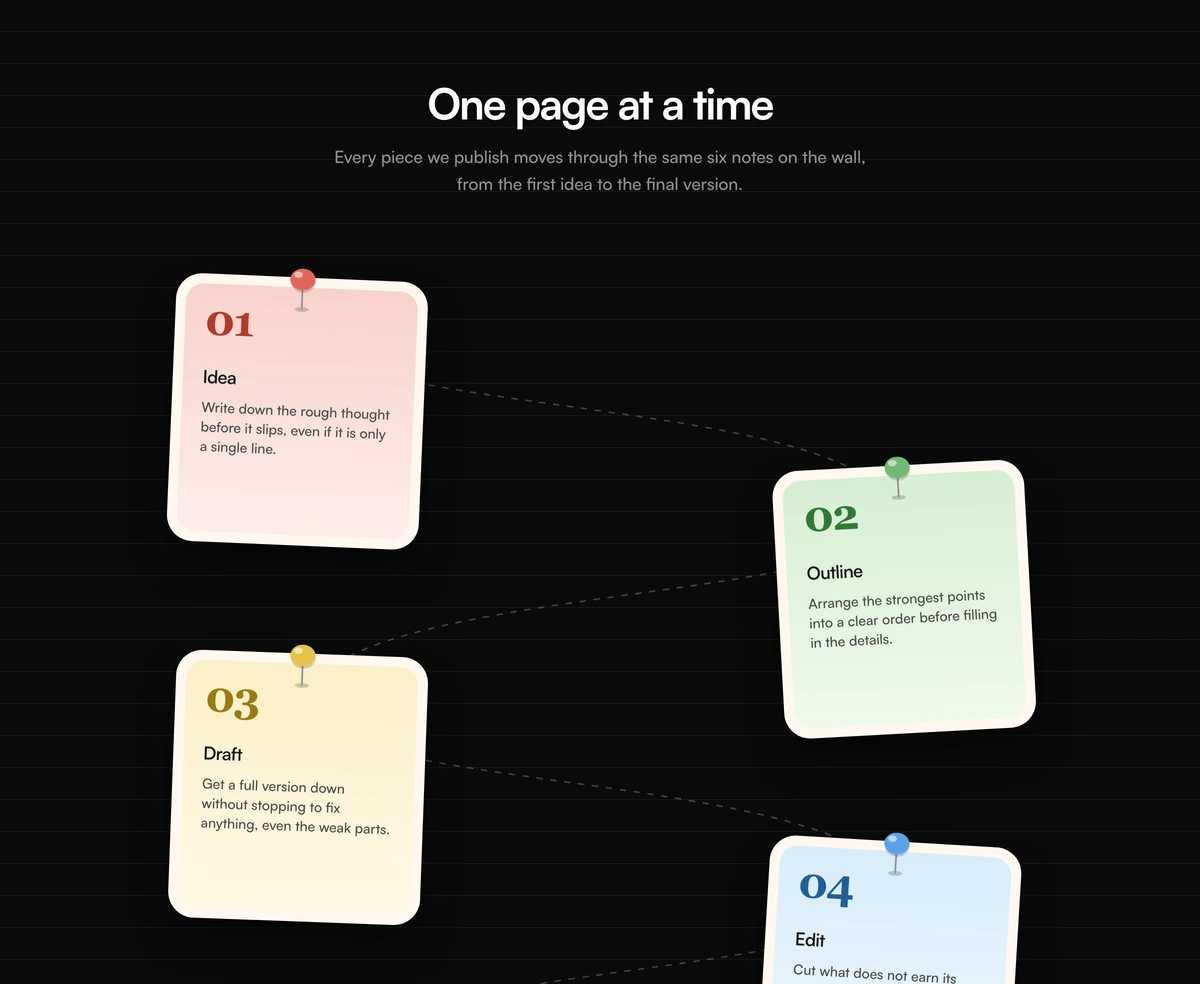
A six step plan laid out like a notebook page
How It Works Section with Pinned Notebook Notes is a React process section built for six steps. The background is ruled like notebook paper, each step is a pastel note pinned at the top with a push pin drawn in SVG, and on desktop the notes alternate left and right along a dashed S curve.
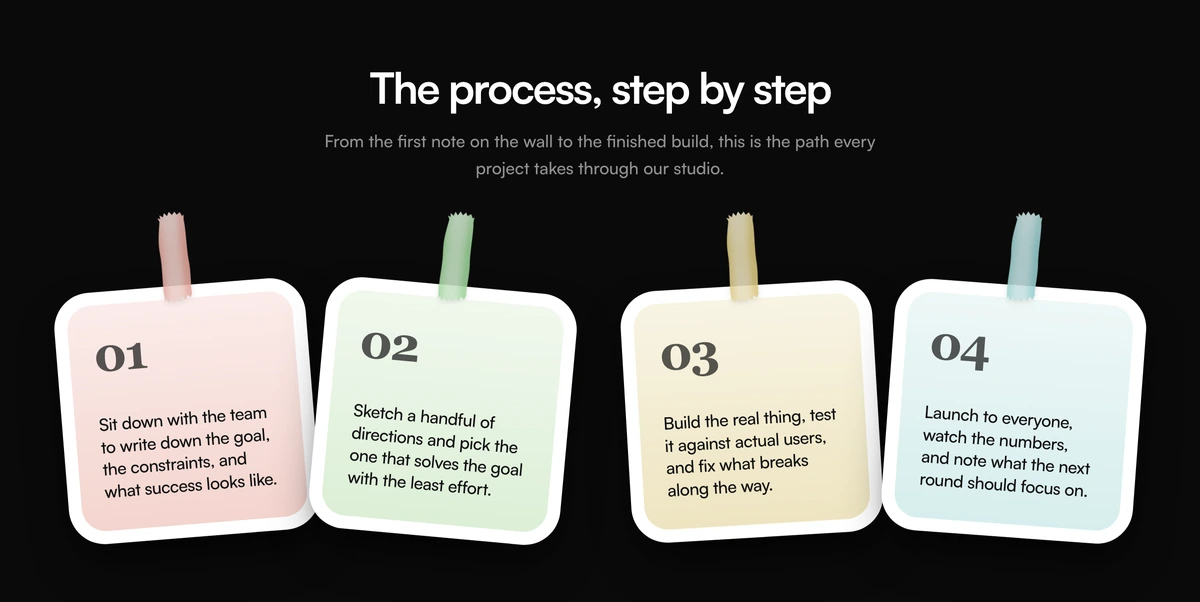
Where the taped notes show four quick moments, this layout has room for titles and longer journeys: idea to publish, application to approval, brief to launch. The defaults walk a piece of writing through idea, outline, draft, edit, review and publish, which makes it a natural fit for editorial teams, writing tools and learning products.
The desktop layout is positioned absolutely on a fixed height canvas, so it is tuned for exactly six notes. On phones the same notes stack in a simple centred column without the path.
From push pin to dashed path
Ruled paper background
A repeating linear gradient draws a faint line every 32px across the whole section, at about 5 percent opacity in both themes.
Push pin
A 42px wide SVG pin with a coloured head, a glossy radial highlight, a metal needle and a small shadow on the paper.
Numbered note
A cream frame around a pastel wash, with a 40px serif number in a deeper shade of the note colour, an h3 title and one sentence.
Dashed S curve
On large screens a single dashed SVG path snakes down the canvas from note to note, sized for six positions 188px apart.
Separate mobile stack
Below the large breakpoint a second, simpler list renders the notes in one column and the absolute layout is hidden.
When a notebook style process fits
Use it when
- Your process has six steps that each need a short title and a sentence.
- The product is about writing, planning, learning or organising.
- You want warmth and craft without any animation or JavaScript.
- The section can be tall: the desktop canvas is about 1,240px high.
Skip it when
- You have fewer or more than six steps. The path and the positions are fixed for six.
- The page needs to stay compact. This is one of the tallest blocks in the category.
- You want every note to adapt to dark mode. Notes keep their cream and pastel colours on dark pages.
Write six notes and pick their pin colours
Pass notes as an array of id, number, title, body, tone and rotate. Tone chooses the wash, number colour and pin colour together from red, green, yellow and blue, and rotate tilts each note a few degrees. Swap the default writing steps for your own six.
If you need a different number of steps, change the desktop canvas height, the 188px step between notes and the SVG path together, or use the taped notes block, which is laid out with a grid instead.
npx wensity@latest add how-it-works-section-with-pinned-notebook-notes --type block
import { PinnedNotebookNotesHowItWorks } from "@/components/wensity/blocks/how-it-works-section-with-pinned-notebook-notes";export function ApplicationSteps() {return (<PinnedNotebookNotesHowItWorksheading="From application to first day"notes={[{ id: "apply", number: "01", title: "Apply", body: "Send a CV and two lines on why this role.", tone: "red", rotate: 2 },{ id: "call", number: "02", title: "Intro call", body: "Thirty minutes with the hiring manager.", tone: "green", rotate: -3 },{ id: "task", number: "03", title: "Paid task", body: "A small, paid piece of real work.", tone: "yellow", rotate: 2 },{ id: "team", number: "04", title: "Meet the team", body: "An informal hour with future teammates.", tone: "blue", rotate: 3 },{ id: "offer", number: "05", title: "Offer", body: "A written offer within three working days.", tone: "red", rotate: -2 },{ id: "start", number: "06", title: "First day", body: "Laptop, accounts and a buddy waiting.", tone: "green", rotate: 2.5 },]}/>);}
Props
| Prop | Type | Default | Description |
|---|---|---|---|
heading | string | "One page at a time" | The centred h2. |
lede | string | - | The sentence under the heading. |
notes | { id; number; title; body; tone; rotate }[] | 6 writing steps | Six notes. tone is red, green, yellow or blue and sets the pin and number colour. |
className | string | - | Classes on the section, for example a warmer paper colour behind the ruled lines. |
Markup, ids and layout costs
Steps appear twice in the HTML
The mobile list and the desktop canvas both render every note, with one hidden by CSS. Screen readers skip the hidden copy, but the page text and the pin gradient ids are duplicated.
Duplicate gradient ids
Pin highlight ids are built from each note id, and because both layouts render, each id appears twice. Browsers resolve the first match, so it looks right, but validators will flag it.
No JavaScript
Everything, including the dashed path and the ruled lines, is static markup and CSS.
Fixed desktop height
The large screen canvas has a minimum height of 1,240px regardless of content, so trim it if you shorten the notes.
Block details
- Category
- How It Works Sections
- Renders
- CSS only. Paints as soon as the stylesheet arrives
- Theme
- Follows the site theme in light and dark
- Dependencies
clsxtailwind-merge- Source
- 232 lines, 7 KB in one file
- Install
wensity add how-it-works-section-with-pinned-notebook-notes --type block- Tags
- light, dark, how it works, notebook, pushpin, landing page
- Last updated