React Animated Topographic Background with Contour Lines
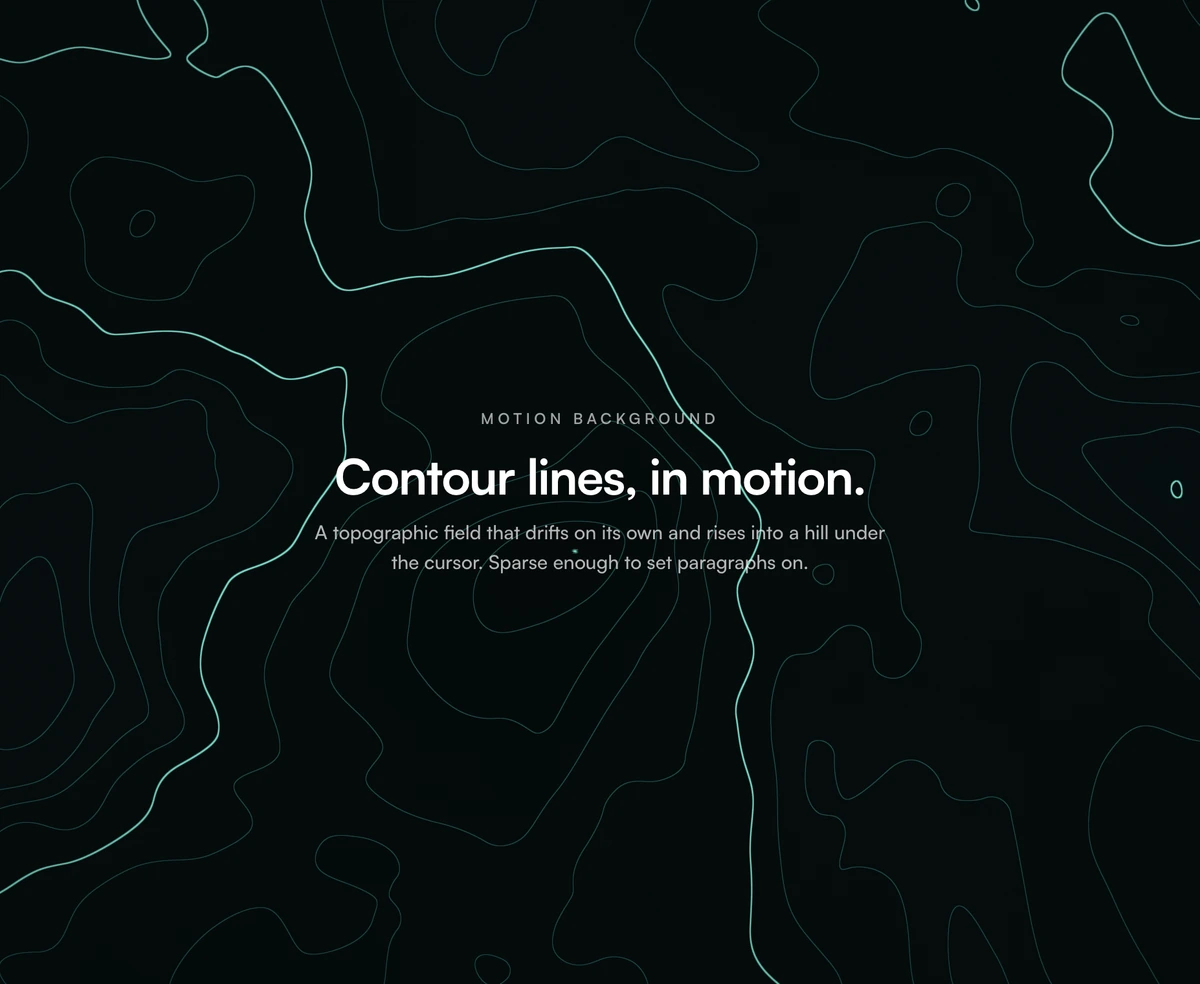
ProA survey map that slowly breathes. Thin contour lines ring hills and valleys that drift across the section, every fifth line drawn heavier like a real topographic map, and the terrain rises into a soft hill wherever the pointer rests.
A topographic pattern that is generated, not drawn
Animated Background with Contour Lines is a React animated topographic background: a WebGL shader slices a moving, domain warped elevation field at even heights and draws the slices as contour lines, producing an endless topographic map behind your content. It uses Three.js and React Three Fiber in Next.js or any React app.
Most topographic backgrounds are static SVG patterns or stock video loops. Because this one is computed per pixel, the terrain never repeats, it scales to any section size without tiling seams, and its colours and line density are settings rather than a new export.
The lines stay a constant weight in pixels. The shader measures how fast the elevation changes on screen and widens or narrows the line threshold to match, so rings do not vanish on steep slopes or bloom into blobs on flat ground, at any zoom or pixel ratio.
From elevation field to map
Elevation
Four octave FBM forms the terrain, bent by a cheaper two octave warp field. warp controls how much the hills twist.
Contour slicing
The elevation is cut into 15 levels by default. Each level becomes a line about 1.1px wide, held constant with screen space derivatives.
Index contours
Every fifth line is drawn heavier, the convention real survey maps use to make elevation readable at a glance. indexEvery changes the interval.
Elevation tint
A faint fill between the lines shades higher ground. fill sets its strength and zero turns it off.
Pointer hill
A soft bump of height 0.5 and radius 0.6 rises under the cursor, pushing contours apart, with a focus glow and a small parallax drift.
Good fits for a contour map
Use it when
- Outdoor, travel, mapping, climate and geospatial products where the metaphor is literal.
- Data and analytics brands that like the idea of terrain as information.
- Light themed sites; the paper palette looks like a printed survey sheet.
- Sections with plenty of text, because thin lines sit quietly behind copy.
Skip it when
- You want a downloadable topographic pattern for print or social graphics. This is a live web component, not an image file.
- Pages without room for Three.js in the bundle.
- Very small sections, where only a few lines fit and the map reads as random curves.
- Multiple instances on one page, each with its own WebGL context.
Pick a palette and line density
Add three, @react-three/fiber and next-themes, install the block and pass content as children. The dark palette is teal lines on a deep blue green base; the light palette is warm browns on paper. colors takes three stops for each theme, and base sets the background beneath.
For a calmer map, lower lines to 10 and raise thickness slightly. For a dense, technical look, raise lines to 24 and indexEvery to 4. Setting bump to zero keeps the terrain still under the pointer while the drift continues.
npx wensity@latest add animated-background-with-contour-lines --type block
import { TopoContourBackground } from "@/components/wensity/blocks/animated-background-with-contour-lines";export function TrailsHero() {return (<TopoContourBackgroundtheme="light"colorsLight={["#a3b18a", "#588157", "#dad7cd"]}baseLight="#f6f4ee"config={{ lines: 18, indexEvery: 6, speed: 0.6 }}minHeight={560}><div className="mx-auto max-w-3xl px-6 py-40"><h1 className="text-5xl font-semibold text-stone-900">Every trail, mapped offline.</h1></div></TopoContourBackground>);}
Props
| Prop | Type | Default | Description |
|---|---|---|---|
config.lines | number | 15 | Number of contour levels across the elevation range. |
config.thickness | number | 1.1 | Line weight in screen pixels, constant at every zoom and pixel ratio. |
config.indexEvery | number | 5 | Every nth line is drawn heavier as an index contour. |
config.fill | number | 0.16 | Tint between lines for higher ground. Zero gives pure lines. |
config.bump / bumpRadius | number | 0.5 / 0.6 | Height and size of the hill raised under the pointer. |
colorsLight / colorsDark | string[] | - | Three stops per theme for lines, index lines and fill. |
What it costs and how it behaves
Lighter than it looks
The source trims the warp field to two octaves because extra detail in an offset is invisible. Six octaves per pixel in total is modest for any GPU from the last several years.
Reduced motion
On by default: visitors who ask for less motion see a still map and no pointer hill.
No pause when hidden
Nothing stops the loop when the section scrolls out of view. On long pages, toggle config.animate from an IntersectionObserver.
Children and clicks
Your content renders above the map in a layer where only links and buttons take clicks by default. Mark inputs with pointer-events-auto.
Block details
- Category
- Motion
- Renders
- WebGL canvas. Compiles a shader before the first frame
- Theme
- Follows the site theme in light and dark
- Dependencies
@react-three/fiberclsxnext-themestailwind-mergethree- Source
- 590 lines, 20 KB in one file
- Install
wensity add animated-background-with-contour-lines --type block- Tags
- webgl, three.js, shader, contour, topographic, lines, light, dark, background
- Last updated