React Animated Noise Background with Domain Warped FBM
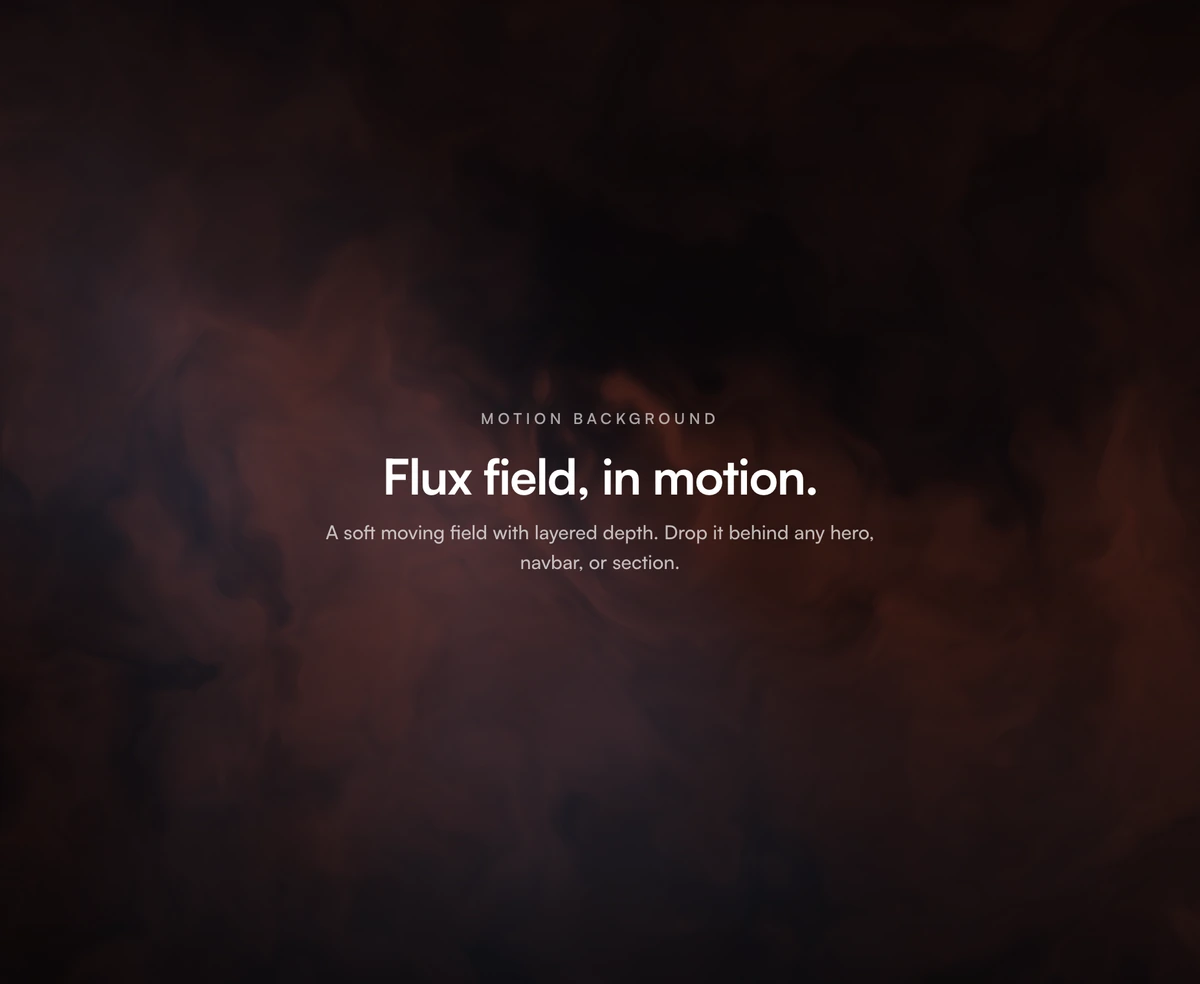
ProA slow, organic field of colour that never repeats: warm orange red, sky blue and emerald drifting through a near black base, with fine grain on top and darker edges. Move the pointer over it and the field bulges gently towards the cursor.
What domain warping adds to plain noise
Animated Background with Noise Field is a React WebGL background that renders fractal Brownian motion (FBM) noise with domain warping in a fragment shader, producing a flowing, marbled colour field behind any section. It is built on Three.js and React Three Fiber and runs in Next.js or any React app.
Plain FBM looks like clouds. Domain warping feeds the noise back into its own coordinates: the shader samples FBM once to get an offset, samples again at that offset, and only then reads the final value. Each pass bends the pattern, which is what turns soft blobs into the folded, liquid shapes you see here.
Four colours are mixed by thresholds on two fields, one for the main shape and one slower pulse, so the palette moves through each other rather than cycling. Light mode has its own colour path that scales contrast from a warm paper base, so it never washes out to white.
How the shader is layered
Gradient noise and FBM
A hash based gradient noise summed over five octaves, each at 2.02 times the frequency and half the amplitude of the last. The odd lacunarity avoids visible grid alignment.
Two level warp
q is two FBM samples, r is the original point pushed by FBM of p plus four times q, and the final field reads FBM at r. warp scales how far r is pushed.
Four colour mix
base, primary, secondary and highlight blend through smoothstep thresholds. Dark mode adds a top and bottom black gradient so overlaid text keeps contrast.
Hover bulge
While the pointer is over the section, a Gaussian falloff around it shifts the coordinates and a small parallax drift follows. Leave the section and the field relaxes back.
Grain and vignette
A tiled SVG turbulence texture at 7 percent opacity in overlay blend, plus a shader vignette at 0.55 in dark mode and a much lighter one in light mode.
Good homes for an FBM field
Use it when
- Hero and sign up sections that need atmosphere without a recognisable image.
- Brands with three accent colours that should feel alive rather than flat.
- Dark landing pages where a near black base and grain read as premium.
- You already ship Three.js or React Three Fiber, so the added weight is small.
Skip it when
- You need a background on a page where bundle size is critical and no 3D library is present yet.
- Long pages with several such sections, because each one keeps its own WebGL context busy.
- Text heavy sections where any motion behind the copy would distract.
- You expect a static CSS gradient. This is a live shader with a frame loop.
Install, put your content inside, tune the field
Install the block and add three packages to your app: three, @react-three/fiber and next-themes. Render your hero as children and it sits above the canvas. Without children the block shows a demo label and heading, which is meant for the preview only.
Colour and tuning are split by theme. colors applies to both, colorsLight and colorsDark override per theme, and the same pattern holds for config. Lower scale for bigger shapes, raise warp for more folding, and drop speed below 0.2 for a background that barely seems to move.
npx wensity@latest add animated-background-with-noise-field --type block
import { FluxFieldBackground } from "@/components/wensity/blocks/animated-background-with-noise-field";export function Hero() {return (<FluxFieldBackgroundminHeight={640}colorsDark={{ base: "#07060b", primary: "#f97316", secondary: "#6366f1", highlight: "#22d3ee" }}config={{ speed: 0.25, warp: 0.8 }}><div className="mx-auto max-w-3xl px-6 py-40 text-center"><h1 className="text-5xl font-semibold text-white">Signals, not noise.</h1><a href="/signup" className="mt-8 inline-block rounded-lg bg-white px-5 py-3 text-black">Get started</a></div></FluxFieldBackground>);}
Props
| Prop | Type | Default | Description |
|---|---|---|---|
colors | { base?; primary?; secondary?; highlight? } | - | Hex values merged into the active theme's palette. base is also the section's CSS background before WebGL paints. |
colorsLight / colorsDark | FluxFieldBackgroundColors | - | Per theme palettes when light and dark need different accents. |
config.speed | number | 0.35 | Flow rate. Values around 0.15 suit sections with body text on top. |
config.scale | number | 1.8 | Noise frequency. Lower values give fewer, larger shapes. |
config.warp | number | 0.65 | How hard the second pass bends the field. Zero leaves plain FBM. |
config.mouseInfluence | number | 2 | Strength of the hover bulge. Set enableMouseInteraction to false to disable it. |
theme | "auto" | "light" | "dark" | "auto" | auto follows next-themes and the dark class on html. Force one when the section always sits on one scheme. |
minHeight | number | 480 | Minimum height in pixels of the section. |
GPU cost and motion handling
Reduced motion honoured
respectReducedMotion is on by default. When the visitor's system asks for less motion, the canvas switches to on demand rendering, draws one still frame and stops, and the hover bulge is disabled.
Renders while mounted
There is no IntersectionObserver, so the frame loop keeps running when the section is scrolled out of view. Unmount it or set config.animate to false when it leaves the viewport if the page is long.
Pixel ratio capped at 1.5
The canvas caps device pixel ratio at 1.5, lower than the other motion blocks, with antialiasing off. Soft noise hides the difference and the GPU saves almost half the pixels on retina screens.
Clicks inside children
The content layer is pointer-events-none with links and buttons switched back on. Inputs or labels you place inside need pointer-events-auto to receive clicks.
Theme switch cost
Changing theme remounts the canvas with a new WebGL context. That takes a frame or two and is only noticeable if you toggle themes repeatedly.
Block details
- Category
- Motion
- Renders
- WebGL canvas. Compiles a shader before the first frame
- Theme
- Follows the site theme in light and dark
- Dependencies
@react-three/fiberclsxnext-themestailwind-mergethree- Source
- 524 lines, 18 KB in one file
- Install
wensity add animated-background-with-noise-field --type block- Tags
- webgl, three.js, shader, mouse, light, dark, background
- Last updated