React Hero Section with a Morphing Photo Arc on Scroll
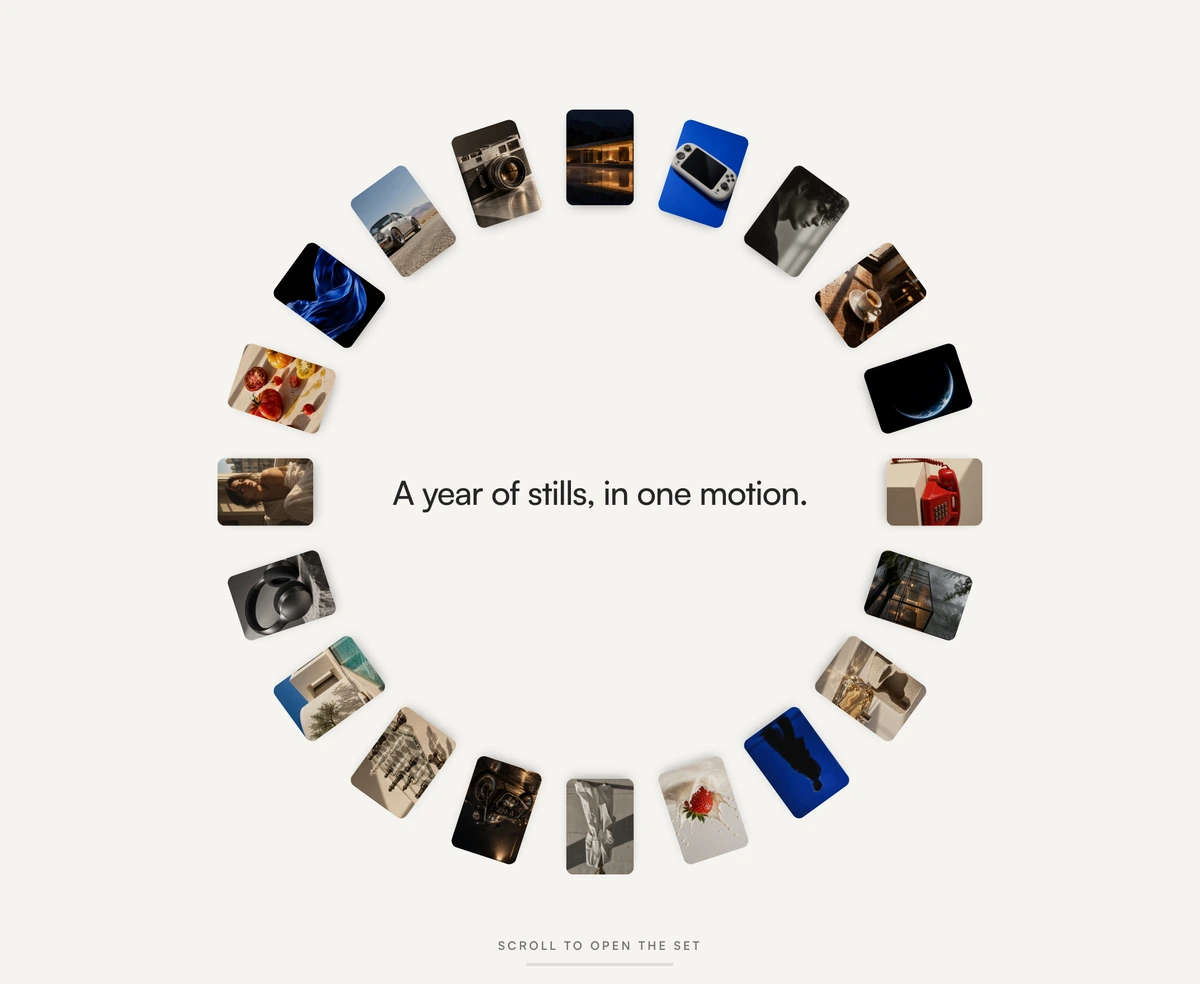
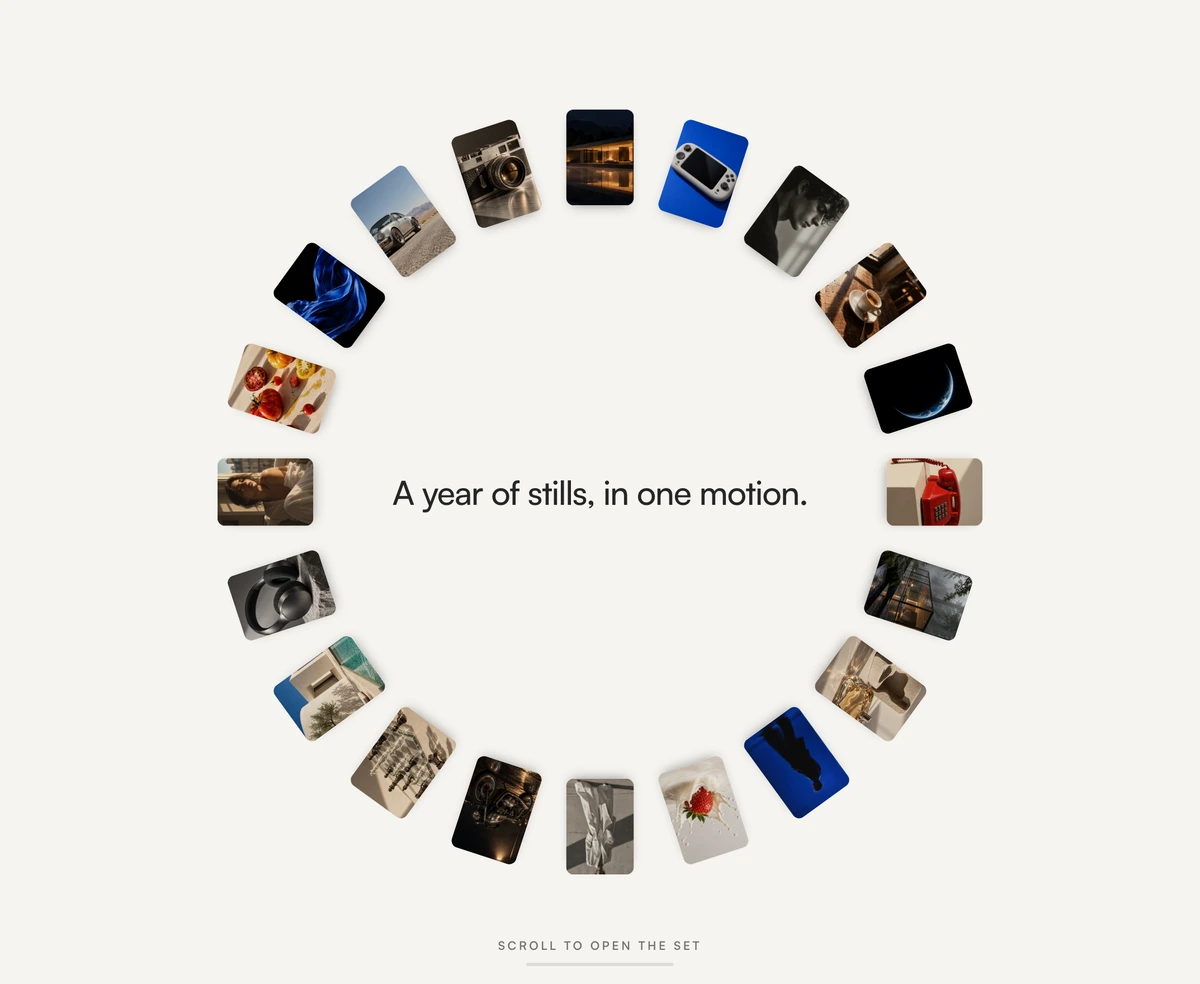
ProTwenty photographs begin stacked in a tight ring. As you scroll, the ring opens into a wide arc and the photos walk along it like a fanned deck of prints, and only once the arc has formed does the headline fade in with two buttons beneath it.
A gallery that becomes the hero
Hero Section with Morphing Photo Arc is a React hero section built with Framer Motion where a set of photos morphs from a ring into an arc on scroll and then travels along it, revealing the headline and calls to action at the end. It suits photographers, studios and campaigns in Next.js or any React app.
Portfolio heroes often show one image, which forces a choice. This one shows the whole set and lets the visitor control the pace: scrolling plays the edit like flicking through prints. Because the motion is tied to scroll, nothing plays unasked, and anyone can stop, reverse or skip ahead.
The scrolling happens inside the hero's own container, so the rest of the page is untouched. Trackpad momentum, touch and keyboard all work because it is native scrolling, and if nobody touches it for five and a half seconds, it nudges itself forward a little to show that it moves.
How the arc is staged
Ring to arc
For the first 22 percent of scroll the cards spread from a ring into an arc. After that, each card walks along the arc, smoothed by a spring.
Contained scroll track
The section is up to one screen tall, at most 880px, with a scroll track four viewports long inside it. The region is focusable with a label describing what scrolling does.
Idle nudge
After 5.5 seconds without input it auto scrolls 14 percent of the way. Any wheel, touch, pointer or key press cancels the nudge.
Progress rail
A small rail with changing labels, from your intro hint to Keep scrolling to End of the deck.
Late reveal
The headline, paragraph and buttons fade in once the arc forms. Until then they are inert, so keyboard users do not land on invisible links, but the text is in the HTML from the start.
Where the photo arc belongs
Use it when
- Photographers, studios, agencies and campaign pages with a strong set of images.
- You want the visitor to explore the work before reading the pitch.
- Light, gallery style sites on a warm off white background.
- Projects already using Framer Motion.
Skip it when
- You have fewer than about twelve strong photos; the arc looks sparse.
- The headline must be readable immediately, since it only appears after the arc forms.
- Nested scrolling would confuse your audience or conflicts with a scroll jacking library.
- Dark themed sites; the block is drawn for light only.
Load your own set
frames takes an array of objects with src and alt. Twenty is the designed count; fewer works but leaves gaps on the arc. Use portrait images, since the cards are 108 by 153 pixels, and write real alt text, because each photo is announced as content.
introLine and introHint set the text shown before the arc forms. headline, subtext and the two calls to action appear at the end. headingAs controls the level of that late headline.
npx wensity@latest add hero-section-with-morphing-photo-arc --type block
import { MorphingPhotoArcHero } from "@/components/wensity/blocks/hero-section-with-morphing-photo-arc";import { photos } from "./photos";export default function Portfolio() {return (<MorphingPhotoArcHerointroLine="Coastlines, 2024 to 2026."introHint="Scroll to open the series"headline="Twenty frames from the edge of the map"subtext="Large format prints available in editions of ten."primaryCta={{ label: "View the series", href: "/coastlines" }}secondaryCta={{ label: "Commission a shoot", href: "/contact" }}frames={photos.map((p) => ({ src: p.url, alt: p.description }))}/>);}
Props
| Prop | Type | Default | Description |
|---|---|---|---|
frames | { src: string; alt: string }[] | 20 sample photos | The photos on the arc, in order. Portrait crops fit the cards best. |
introLine | string | "A year of stills, in one motion." | Short line shown while the ring is closed. |
introHint | string | "Scroll to open the set" | First label on the progress rail. Tell people what to do. |
headline | string | "The edit, fanned into an arc" | Appears once the arc has formed. |
primaryCta / secondaryCta | { label: string; href: string } | - | Buttons revealed with the headline. |
Accessibility and performance
Reduced motion handled
With reduced motion on, the finished arc is shown still, the track collapses to one screen, and the nudge and parallax are disabled.
Native scrolling
No wheel hijacking: the track is a real scroll container, so input methods and assistive technology behave normally.
Twenty images
All photos load with the hero. Use small, well compressed files sized for 108 by 153 pixel cards at 2x, rather than full resolution originals.
Mouse parallax
On desktop the arc shifts slightly with the pointer. It is disabled with reduced motion and does nothing on touch.
Block details
- Category
- Hero Sections
- Renders
- JavaScript animation. Paints first, then animates
- Theme
- Fixed light surface. No dark variant
- Dependencies
clsxframer-motiontailwind-merge- Source
- 610 lines, 24 KB in one file
- Install
wensity add hero-section-with-morphing-photo-arc --type block- Tags
- light, photos, arc, scroll, ring, gallery, studio
- Last updated